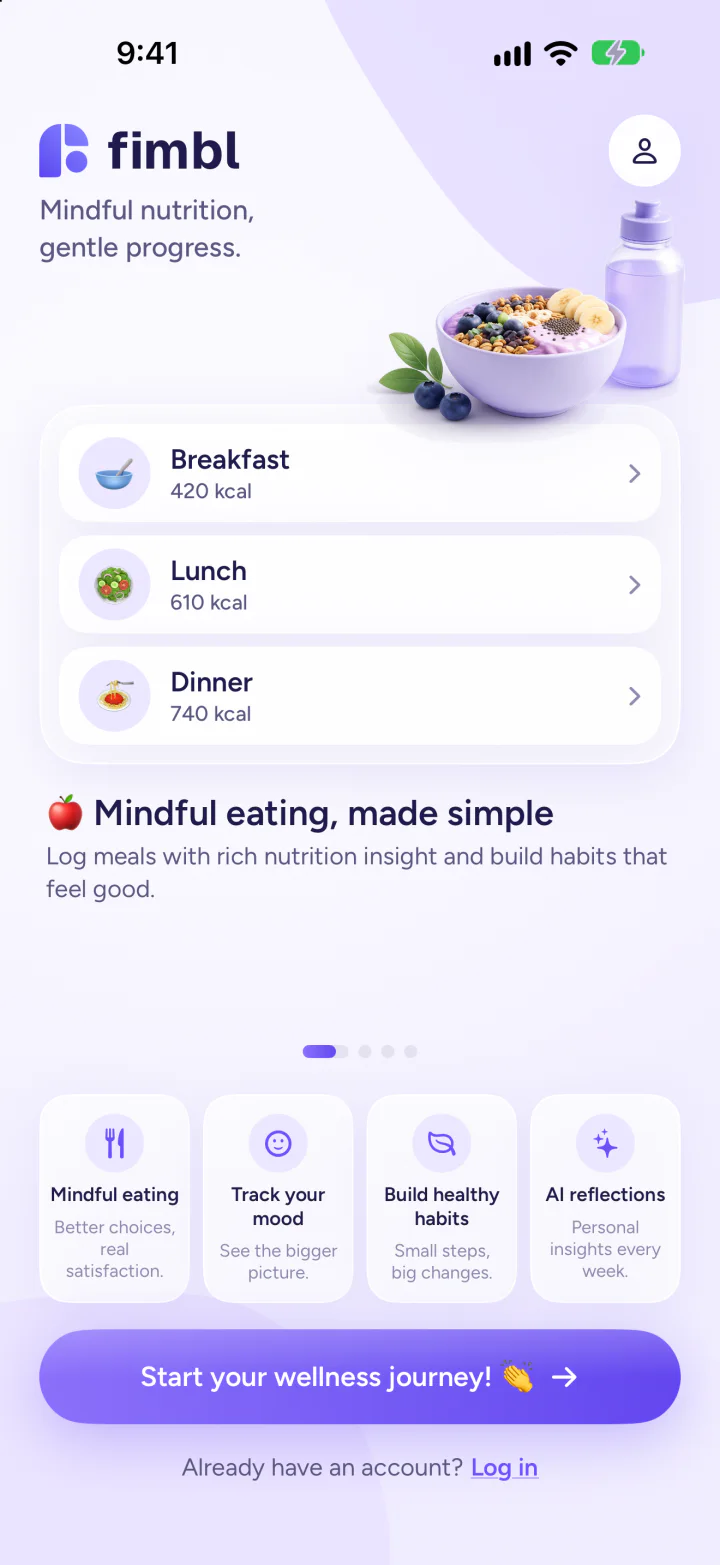
Starting over. Again?

Snap your meal. Know your calories.

Fimbl reads your plate in seconds, keeps your why and your people close, and gives you a coach that knows why you eat the way you do. No ads.

  • Log a meal before you sign up
  • Free diary and check-ins
  • Private progress photos
  • No ads
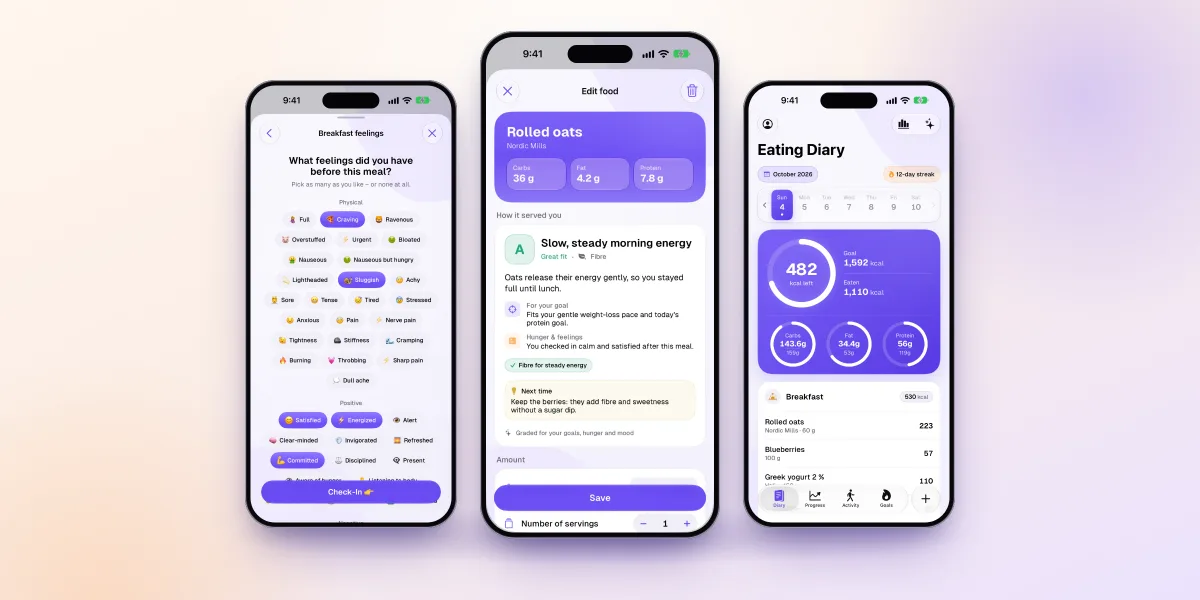
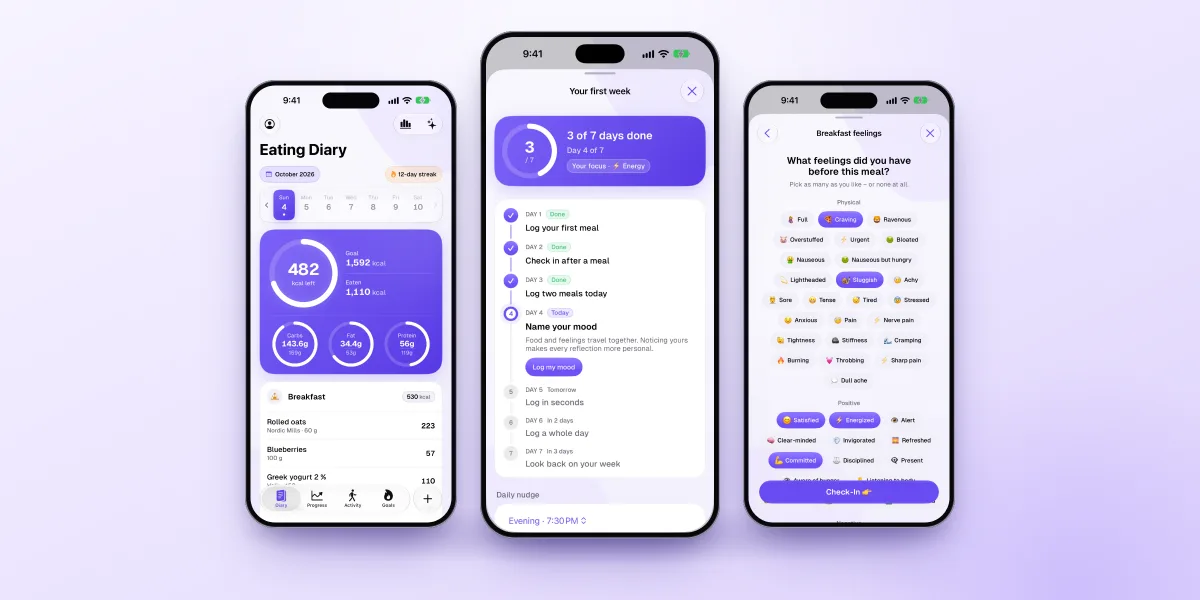
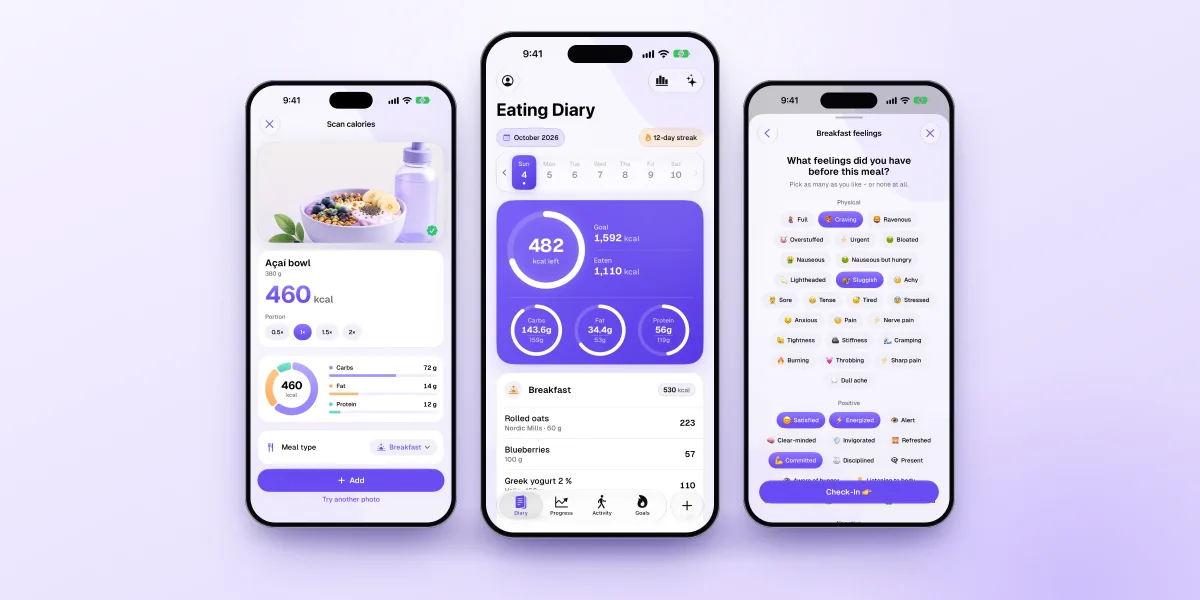
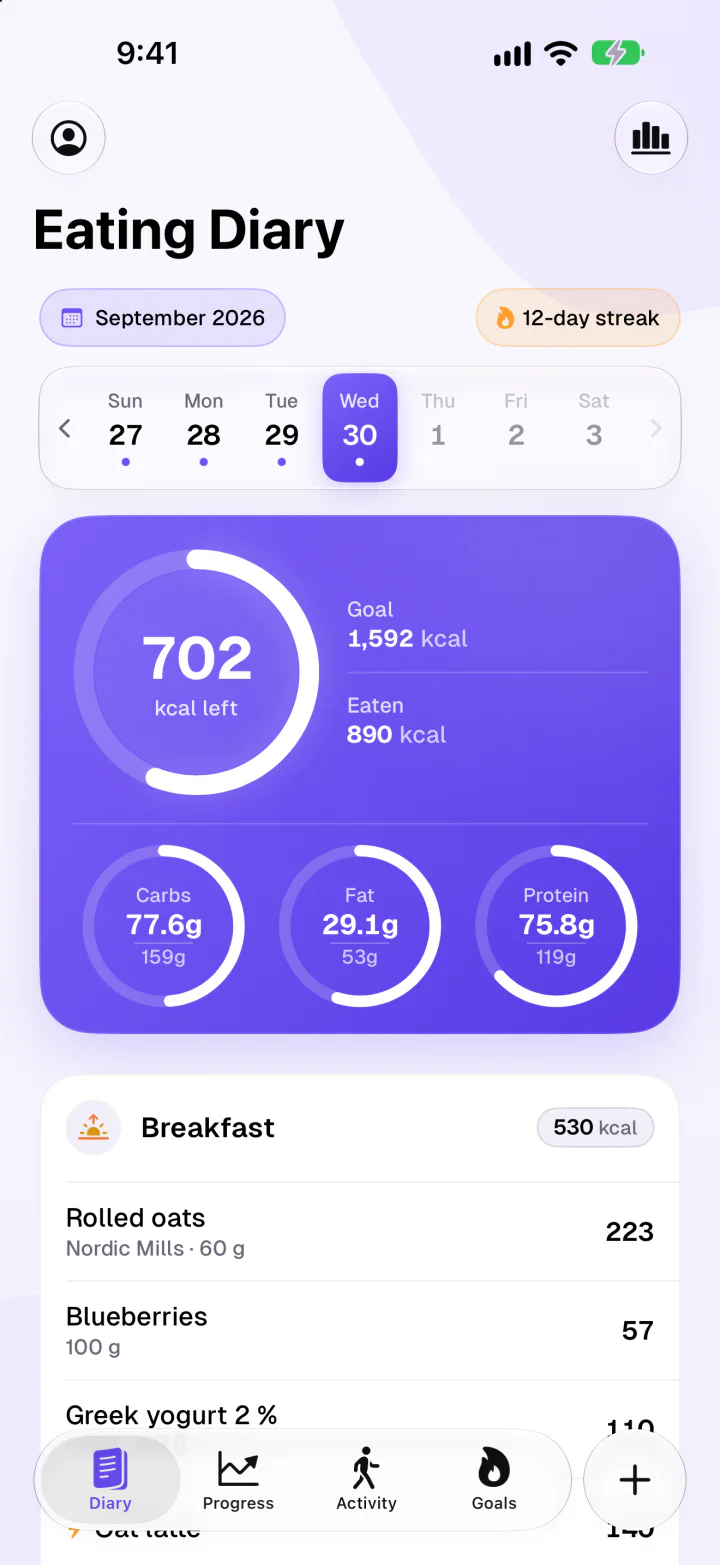
Fimbl eating diary showing 702 kcal left, macro rings for carbs, fat and protein, and a logged breakfast
  • Log in one photo

    Calories and protein in seconds.

  • Your people, cheering you on

    Your why and their photos, right when it's hard.

  • A coach that knows why

    Answers from your own meals and moods.

  • Find your own patterns

    Like which meals give you energy.

The film

Fimbl in fifty-one seconds

Snap, check in, keep going: the whole app in under a minute. Sound on.

What's new

Built for the weeks after week two

Starting is easy. Keeping going is the hard part. Our newest update is about everything after the first rush of motivation: a story worth keeping, meals graded instead of counted and a start that takes seconds.

New · Free

Your story, one week at a time

After your first week, write down why you started and add the people cheering you on. Then keep each week with one card and a minute of answers. Kept weeks become memories you can come back to whenever motivation dips.

  • Your why and your cheerleaders on a Home Screen widget
  • A mosaic of your weeks and how each one felt
  • Then and now, a monthly look-back and letters to your future self
New · Free

Log your first meal before you sign up

Open Fimbl and log what's on your plate right now. No account and no long questionnaire first. Six short questions then make your plan and show how that meal fits it. Your diary moves to your account whenever you make one.

Free · Grades in Premium

When the numbers wear you out

Switch to Graded meals and calories step back. Each food gets a simple balance mark, and your diary keeps counting in the background, so switching back loses nothing. Premium adds an AI grade for every food, the reason behind it, tips and swaps.

Free

Progress photos that never leave your phone

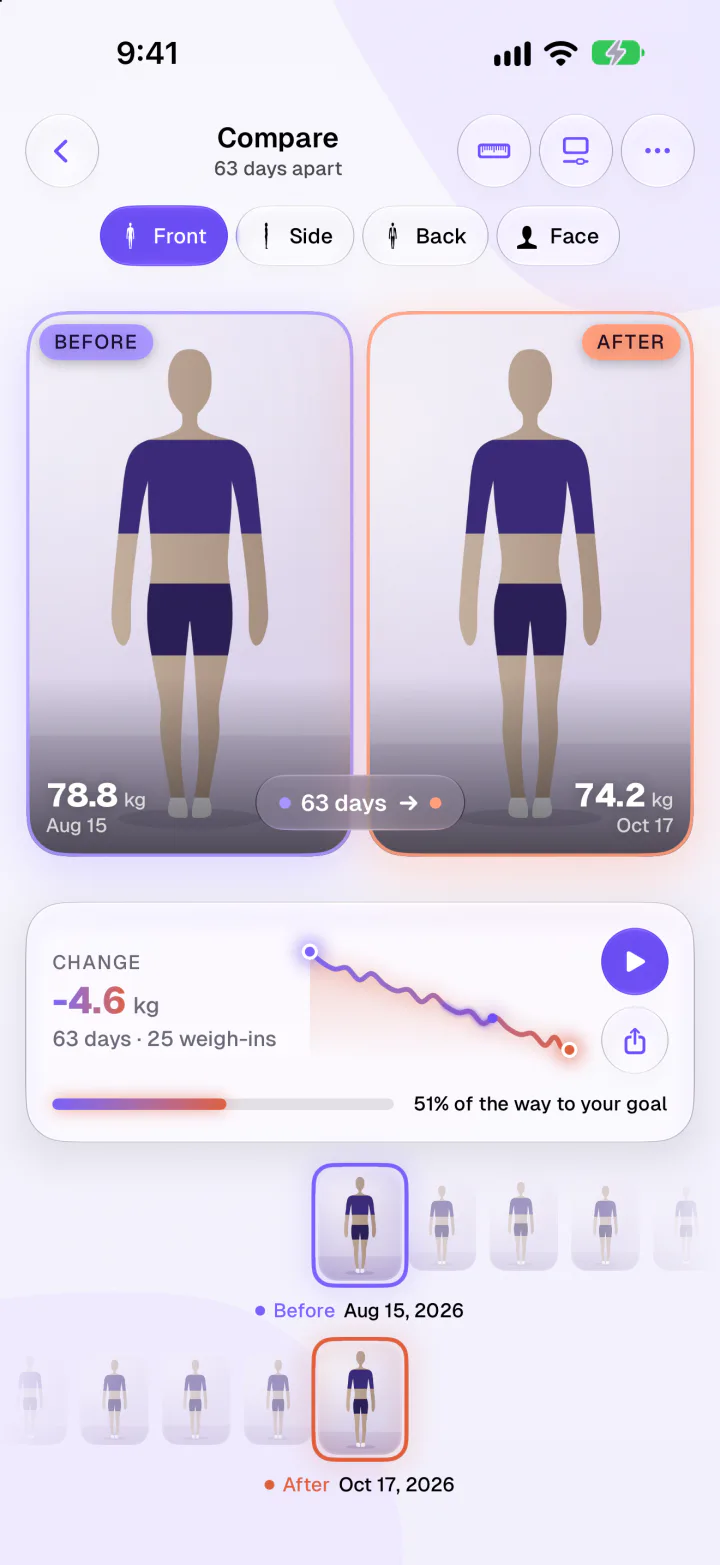
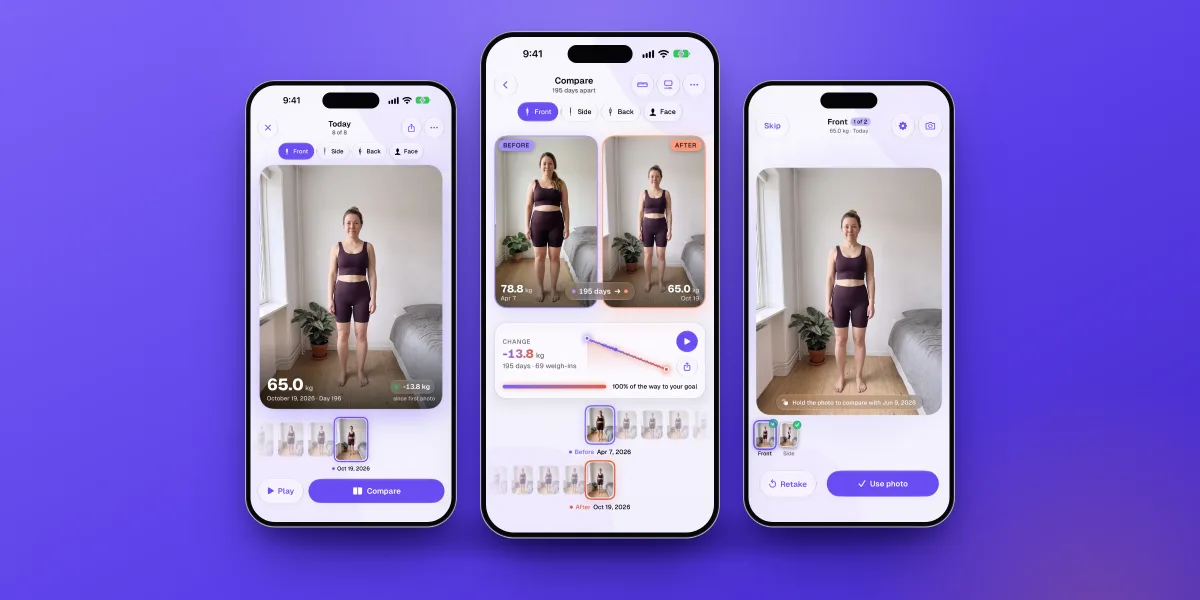
A guided camera lines you up the same way every time. Compare any two days side by side or with a swipe, next to your weight change. Your photos are never uploaded, never used for AI and never in iCloud backups.

New · Free

Photo scans that stay free

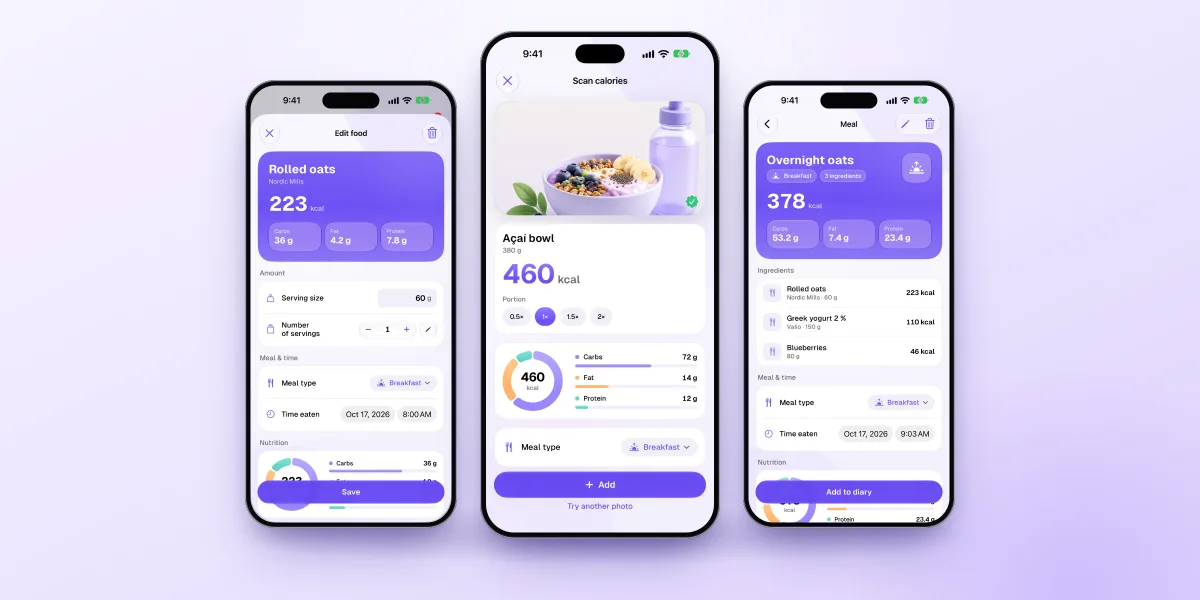
Snap your plate or describe it in a few words, and AI estimates the calories and macros. Your first three are on us, and on iPhones with Apple Intelligence they stay free after that.

New · Free

Made for the way you live

Log yesterday's breakfast again in one tap and move, copy or delete several foods at once, with undo. Note symptoms, mood and your cycle in one calendar. Share the milestones you want to show, and let weigh-ins arrive from your smart scale.

  • Period days stay in Apple Health and never reach our servers
  • Export your data as CSV and back up your progress photos

Cards above illustrate each feature with example content. Premium features are marked, and everything else is free.

How it works

Snap. Check in. Keep going.

One simple loop: log what you eat in seconds, check in on how you feel, and let your own patterns show you one small thing to change.

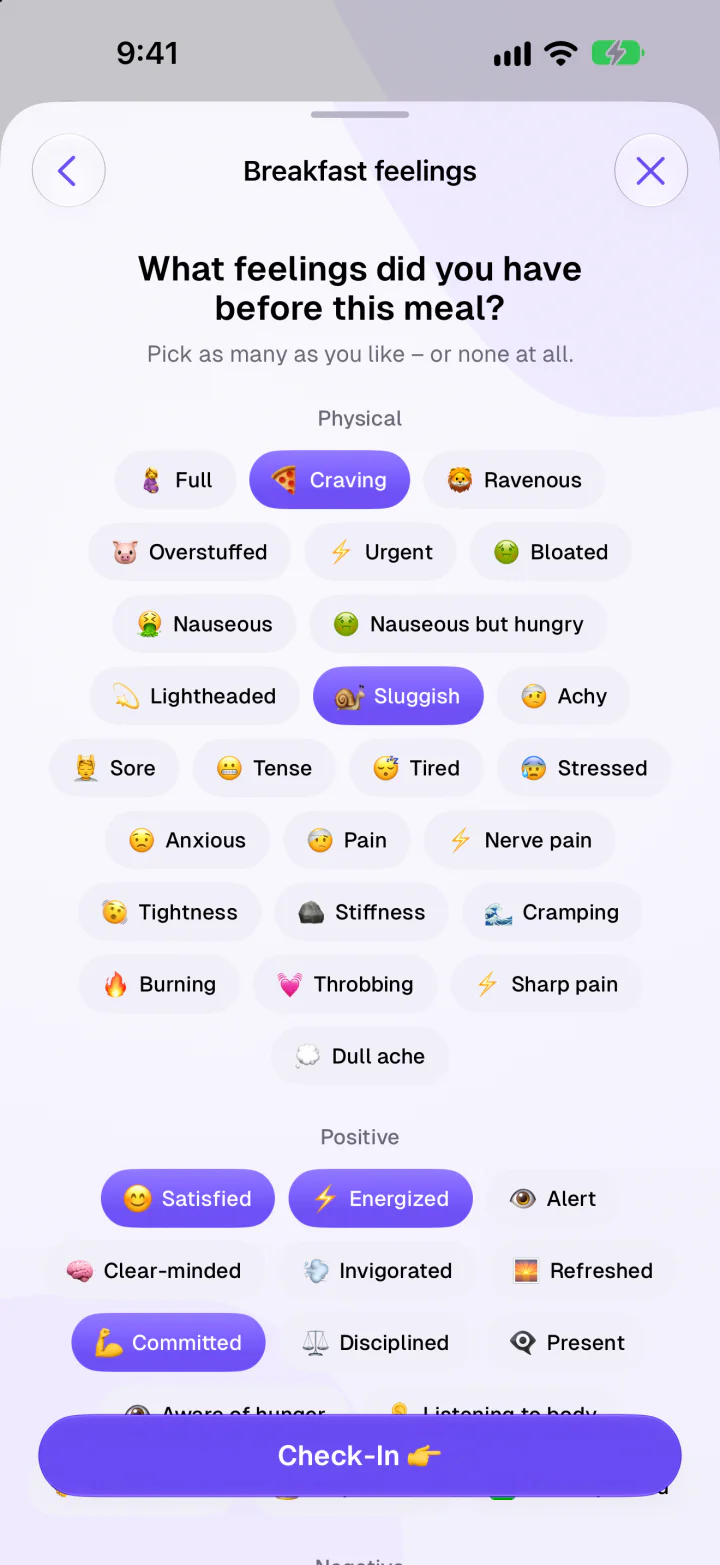
Meal check-in asking what feelings you had before breakfast, with feeling chips
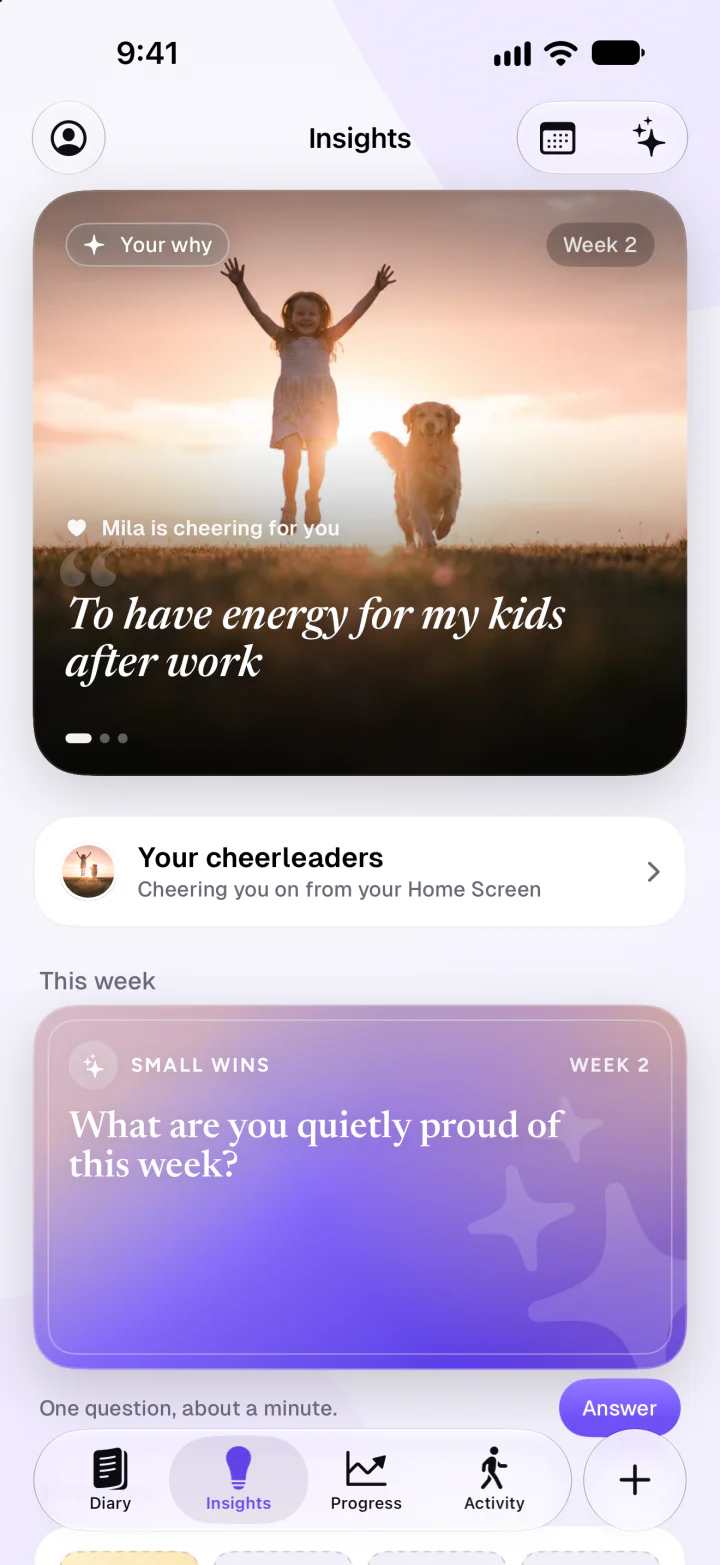
Insights tab with a Your why card reading To have energy for my kids after work, Mila cheering for you, and this week's question
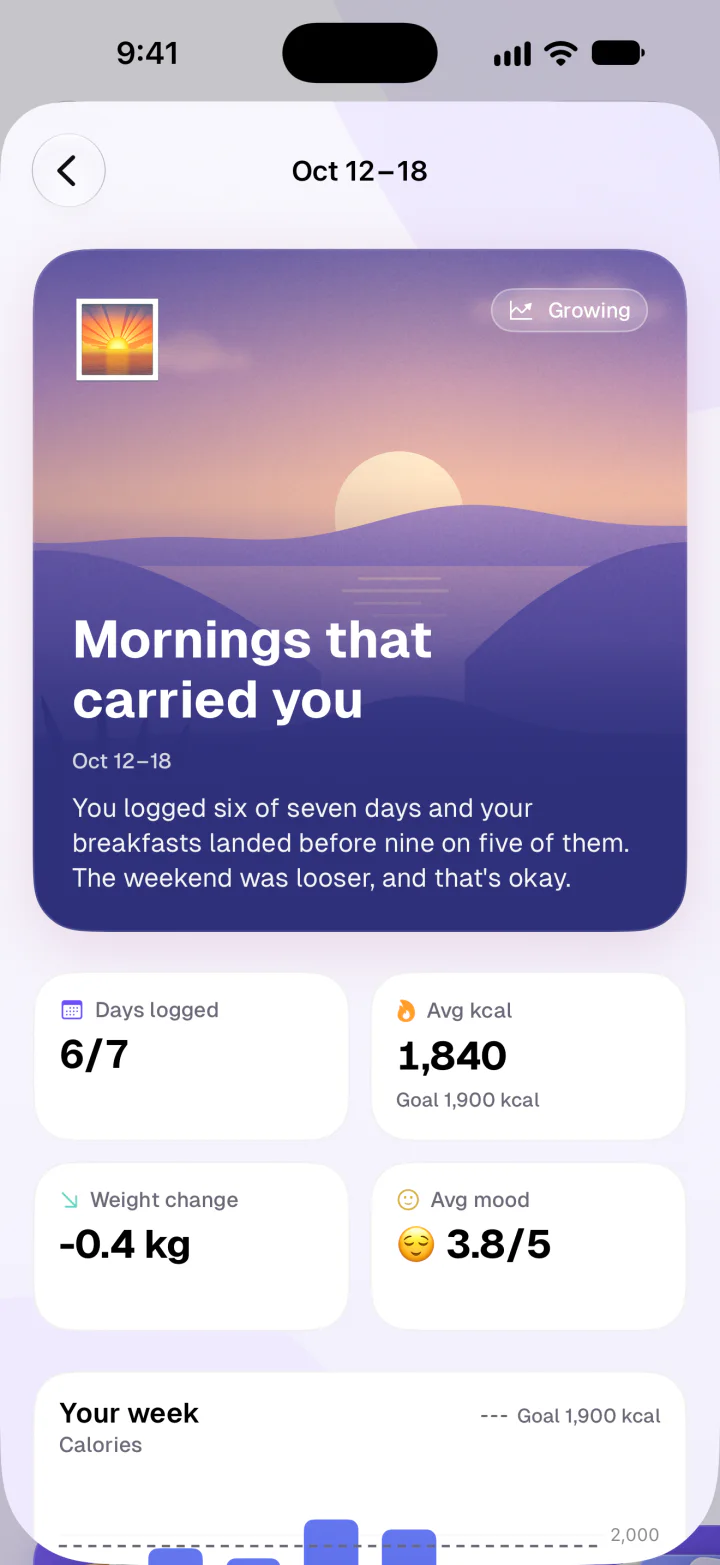
A week's card titled Mornings that carried you, with days logged, average calories, weight change and average mood
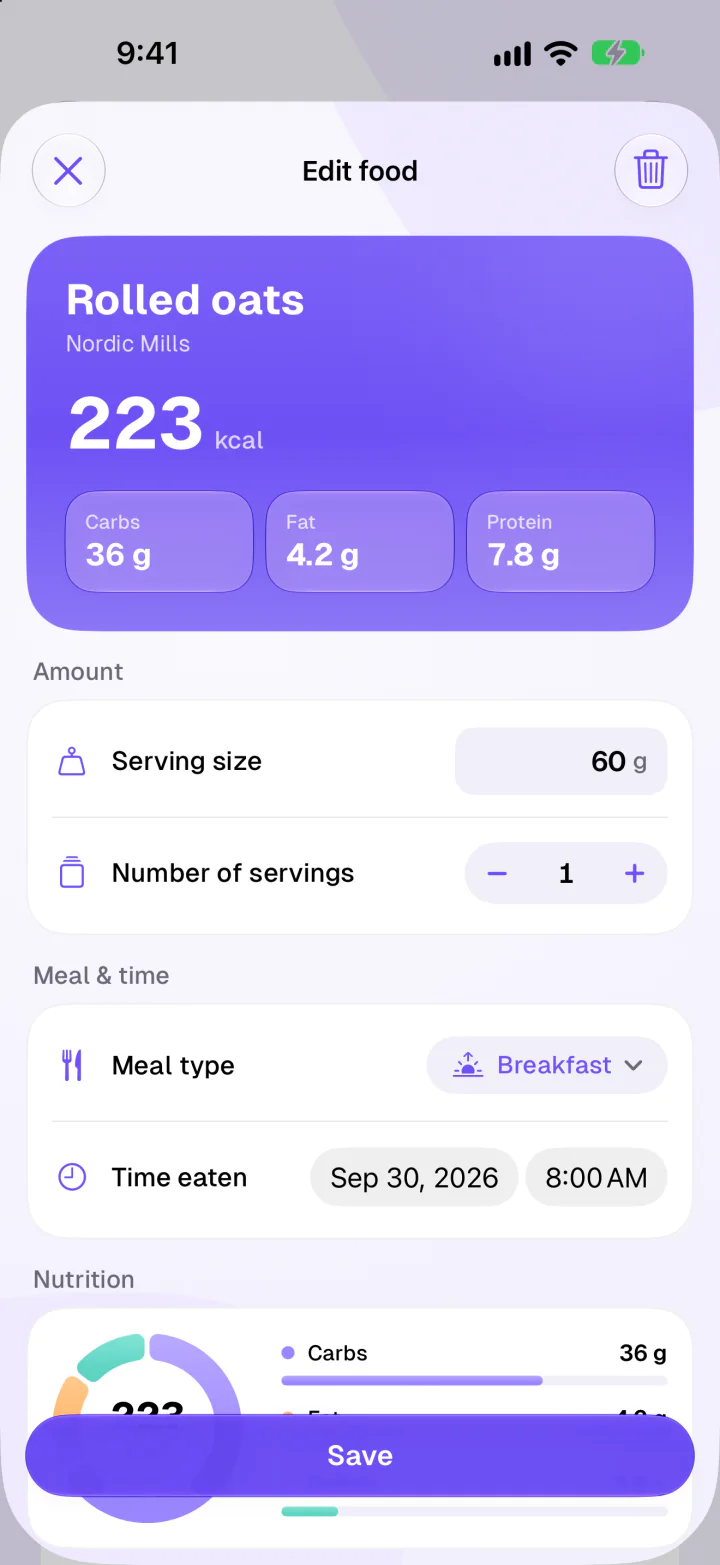
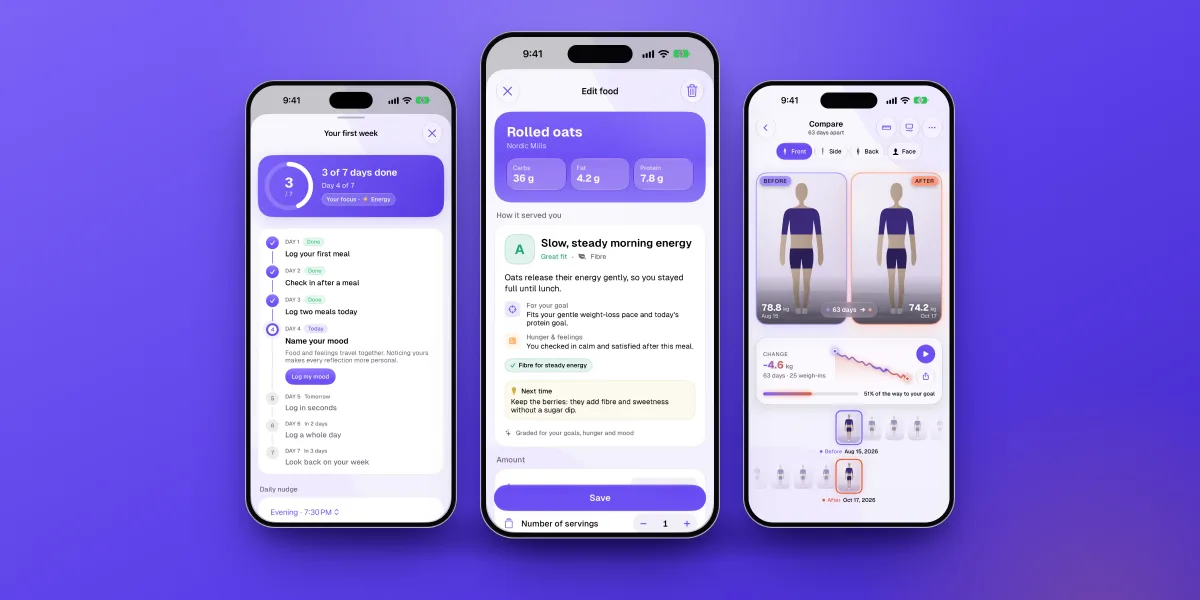
Edit food screen for rolled oats with 223 kcal and macro breakdown
Front progress photos compared side by side, 195 days apart, from 78.8 kg to 65.0 kg, with the weight change between them
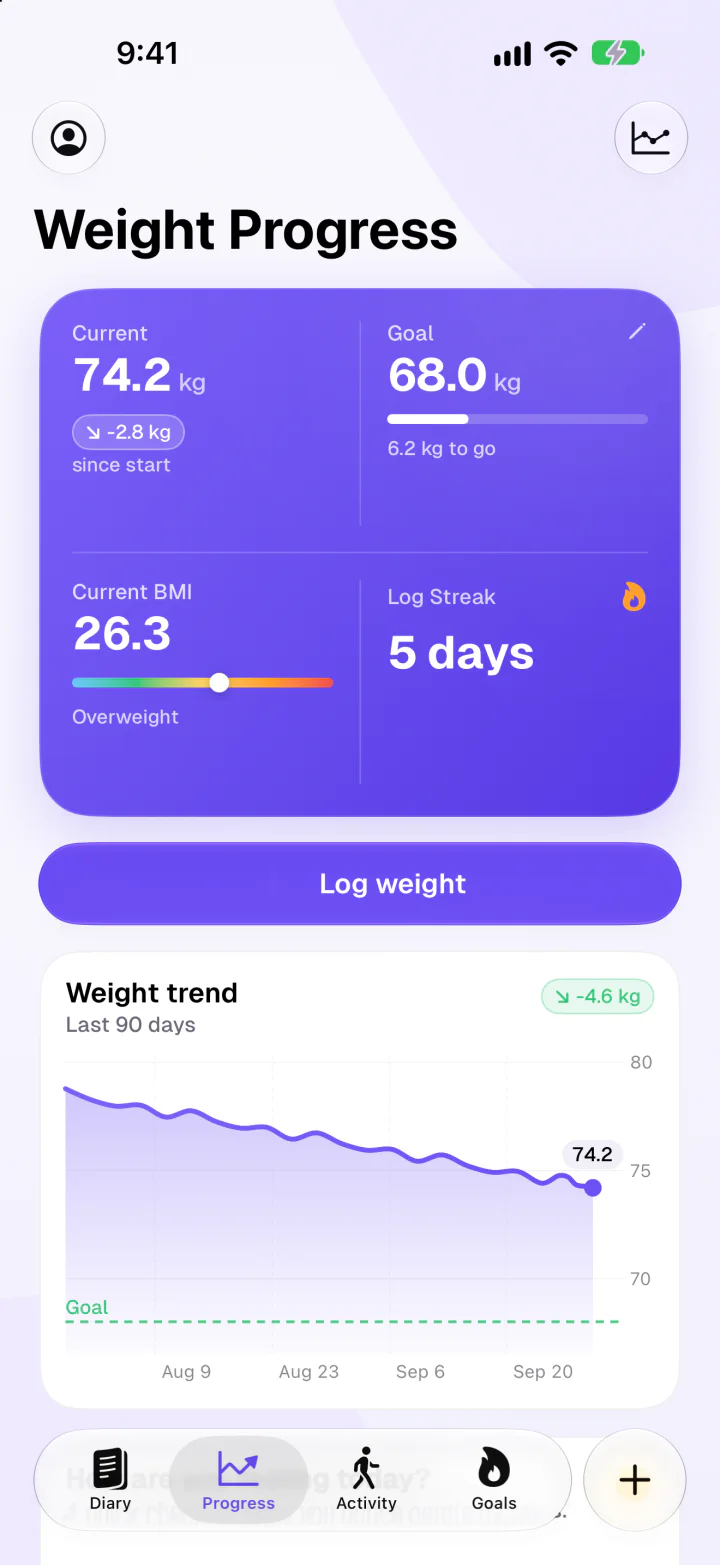
Weight progress with current weight, goal, BMI, log streak and a 90-day trend chart
Logging

Log in seconds, your way

However you like to track, Fimbl keeps it quick, so logging never gets in the way of living.

  • Photo calorie scan

    Snap your plate. Three free, and free for good on iPhones with Apple Intelligence.

  • Describe it

    “A chicken wrap and a latte.” Done.

  • Search and barcode

    By name or brand, with your recents first.

  • Same as yesterday

    Your usual, again, in one tap.

  • Say it

    Just say what you ate.

    Premium
  • Recipes from videos

    Share a Reel, TikTok or Short. Get the recipe and its nutrition.

    Premium
  • Share a photo to Fimbl

    From Photos or any app, logged with a scan.

  • Apple Health, both ways

    Steps and smart-scale weigh-ins in, each meal's energy and macros out.

  • Widgets and Shortcuts

    Free Today and check-in widgets, plus Shortcuts for your usual meal.

Free for everyone

Your first week, one small step a day

Seven days. One small step at a time. Fimbl walks you through your first week, from a first log to naming your mood, with a soft nudge at the time you choose. Miss a day? That's fine. Just don't miss two.

  1. 1First log
  2. 2Check in
  3. 3Two meals
  4. 4Name your mood
  5. 5Log in seconds
  6. 6A whole day
  7. 7Week in review

Then your story begins: one card a week, about a minute each. Skip the journey any time, or replay it later from Settings. No streak shame, ever.

AI, with the lights on

Helpful AI, clearly explained

AI helps with scans, reflections and recipes. Here's the plain-language version of how, and the privacy policy has every detail.

  • Optional, always

    Your diary, check-ins, your story, progress photos, weight and goals all work fully without AI. AI runs only when you use a feature that needs it, like a photo scan.

  • Apple Intelligence, where your iPhone has it

    After your first three scans, iPhones with Apple Intelligence read meal photos and descriptions with Apple's own model on Private Cloud Compute, at no cost to you.

  • It sees only what a feature needs

    Other AI requests go from the app through Fimbl's servers to Google's Gemini API, with only what that feature needs and never your name or email. We don't train AI models on your data and we don't sell it.

  • Some things are never AI's business

    Progress photos are never used for AI. AI estimates can be a little off, so you can adjust any entry, and Fimbl offers guidance, not medical advice.

Our promise

What's personal stays with you

Fimbl was made to break free from calorie-only apps: a kind, quiet space to understand your body and mind, at your own pace and on your own terms. The most personal parts never leave your iPhone.

  • Progress and meal photos stay on your iPhone
  • Period days stay in Apple Health
  • No shaming, no diet-culture noise
  • No ads and no ad tracking
  • Export your data, delete your account any time
  • Designed and built in Finland
From the blog

Eat better, one meal at a time

Guides to calorie tracking, hunger and habits, and how we think about building a food diary that keeps you going.

FAQ

Questions, answered

Is Fimbl free?

Yes. Fimbl is free to download, and the heart of it is free: your food diary with search and barcode scanning, check-ins before and after meals, the First Week journey, your story, your first pattern, Graded meals, macros and macro goals, mood, body notes, weight, streaks, private progress photos, Apple Health activity, and the Today and check-in widgets. You also get 3 photo scans and your first weekly reflection to try the AI, and on iPhones with Apple Intelligence, photo scans and meal descriptions stay free after that. Fimbl Premium adds photo scans beyond the free ones, voice logging, AI grades with tips and swaps, weekly AI reflections and the coach, every pattern Fimbl finds, recipes from videos, healthier product swaps, more widgets and streak restore. Premium is yearly with a 7-day free trial, or monthly, and prices are always shown before you subscribe.

Do I need an account to start?

No. Open Fimbl and log your first meal right away, with no account and no questions first. Six short questions then make your plan and show how that meal fits it. When you make an account, your diary moves to it, so it's there when you change phones.

What is Your story?

Most of us lose motivation somewhere around week two. Your story is how Fimbl helps you keep going. After your first week, you write down why you started and add the people cheering you on, and both can sit on your Home Screen as a widget. Each week, you keep it with one card and a minute of answers. Kept weeks become memories: a mosaic of your weeks, how they felt, then and now, a monthly look-back and letters to your future self. Your story is free.

Is Fimbl a diet app?

Not in the usual sense. You can set a calorie goal if it helps you, or switch to Graded meals, where the numbers step back and each food gets a simple balance mark instead. Fimbl is about balance, awareness and habits, and it's built to support a healthier relationship with food, never to make you feel bad about it. It isn't a medical tool or a treatment for eating disorders, and if food ever feels overwhelming, a healthcare professional can help.

Are my progress photos private?

Yes. Progress photos stay on your iPhone: they are never uploaded to our servers, never used for AI and never included in iCloud backups. You decide what is kept, saved or shared, and you can back them up yourself whenever you like. Meal photos stay on your iPhone too, and period days you log in body notes are kept in Apple Health on your iPhone and never reach our servers.

How does the AI work, and what does it see?

AI is optional, and everything else in Fimbl works without it. Your first 3 photo scans or meal descriptions, your first weekly reflection and the Premium AI features go from the app through our servers to Google's Gemini API, with only what that feature needs: a photo for a scan, text for a described meal, or recent diary, check-in and weigh-in context for reflections and the coach. Your name and email are never included, and we don't train AI models on your data. On iPhones with Apple Intelligence, later free photo scans and meal descriptions are read by Apple's model on Apple's Private Cloud Compute. AI estimates can be a little off, so you can always adjust them. The privacy policy explains each feature in detail.

How do I save a recipe from Instagram or TikTok?

Open the video, tap Share and choose Fimbl. If you don't see it, tap More and add it. Fimbl reads the link, watches the video and builds the recipe with ingredients, steps and nutrition per portion, which you can edit before saving. Recipe import is a Premium feature.

Which devices does Fimbl work on?

Fimbl is designed natively for iPhone and iPad running iOS or iPadOS 26 or later, in light and dark mode, with Home and Lock Screen widgets. It speaks English, German and Finnish. Free scans with Apple's model need an iPhone that supports Apple Intelligence, with iOS 27 and Apple Intelligence turned on.

Does Fimbl work with Apple Health?

Yes, both ways. With your permission, Fimbl reads your steps, walking and running distance, active and resting energy, workouts and weigh-ins from smart scales. If you turn on Health sync, it also saves the weight you log and each meal's energy and macros to Apple Health. Period days from body notes are kept in Apple Health on your iPhone.

What happens to my data?

With an account, your diary is encrypted in transit and stored on Fimbl's servers, so it's there when you change phones. Progress photos, meal photos and period days stay on your iPhone. We don't sell your data, and there are no ads or ad trackers. You can export your data as CSV files, and delete your account any time from Settings: your personal data is deleted, and any AI data we keep is anonymised. Read the full privacy policy.
Snap your first meal. Keep going.

Log your first meal in seconds. No account needed to start.

Download on theApp Store