Behind Fimbl7 min read
Why we built a calorie tracker that doesn't judge you
Most calorie apps are brilliant at counting and quietly bad at the days that don't go to plan. Here's what we changed, what we deliberately left out, and where we're taking Fimbl next.
On this page
Anyone who has used a calorie tracker knows the moment. It's nine in the evening, the number has turned red, and the app has only one thing to say: how far over you are. It doesn't ask whether you were stressed, or why lunch never happened. So the next morning you don't open it. Fimbl began with a simple question: what would a food diary look like if it were built for that evening?
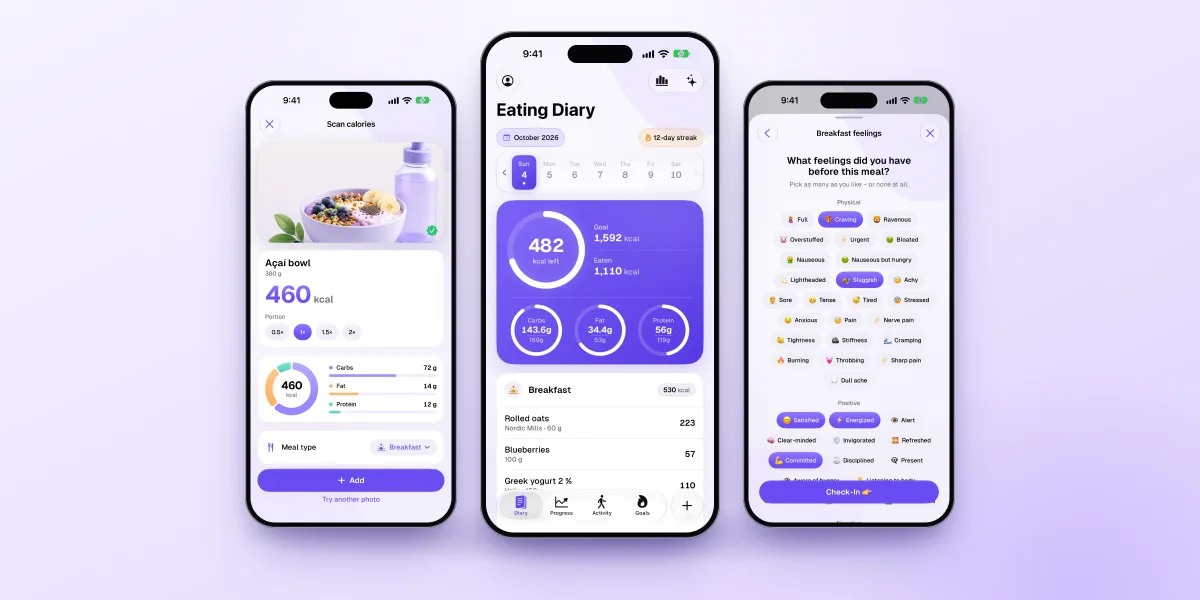
Fimbl is a calm food diary for iPhone and iPad built around three steps: notice what you eat, understand why, and change one small thing at a time.
- It tracks calories like any good counter, then asks about hunger and feelings too.
- Numbers are optional, the free version is a complete diary, and there are no ads.
- Our end goal: show you your patterns, not an average person's.
The problem with counting alone
Calorie trackers are good at what they were designed for. They answer what you ate and how much. Keeping that kind of record is genuinely useful: reviews of weight-management research link consistent food logging with better results.2
But "consistent" is doing a lot of work in that sentence. In one study of young adults who used healthy-eating and fitness apps, almost half described negative experiences, including guilt and a sense of being controlled.1 An app that makes you feel bad is an app you stop opening, and a diary you don't open can't help you.
We think the gap is simple. Most apps only ever ask about the food. Eating is rarely only about food.
| Approach | Calorie counters | Coaching programmes | Photo-AI trackers | Our approachFimbl |
|---|---|---|---|---|
| The main question | How much did you eat? | Did you follow the plan? | What's on the plate? | How did that meal feel, and why? |
| On a hard day | A red number | A missed lesson | A photo you didn't take | Context, and one small idea for tomorrow |
| What you learn | Totals | Their method | Estimates | Your own patterns |
| Best for | Precision | Structure | Speed | A habit that lasts |
Every approach in that table has its place, and we compare the apps in detail in our guide to calorie trackers. Fimbl simply starts from a different question.
Notice, understand, change
Everything in Fimbl serves one loop. It's small on purpose, because small is what you can repeat on a busy Tuesday.
- NoticeLog a meal in seconds, then a ten-second check-in: how hungry were you, and what were you feeling?
- UnderstandOver days and weeks, those check-ins turn into patterns you can actually see, for you and nobody else.
- ChangeOne gentle focus at a time. Not a new diet, just the next small step that fits your week.
Mindful eating research supports the first half of that loop most clearly. Reviews find mindfulness-based approaches are most effective for emotional and external-cue eating, the kind of eating that happens when the reason isn't hunger.3 Noticing comes first.
Six decisions that shaped Fimbl
Building a calm app is mostly a series of small refusals. These are the decisions we keep coming back to.
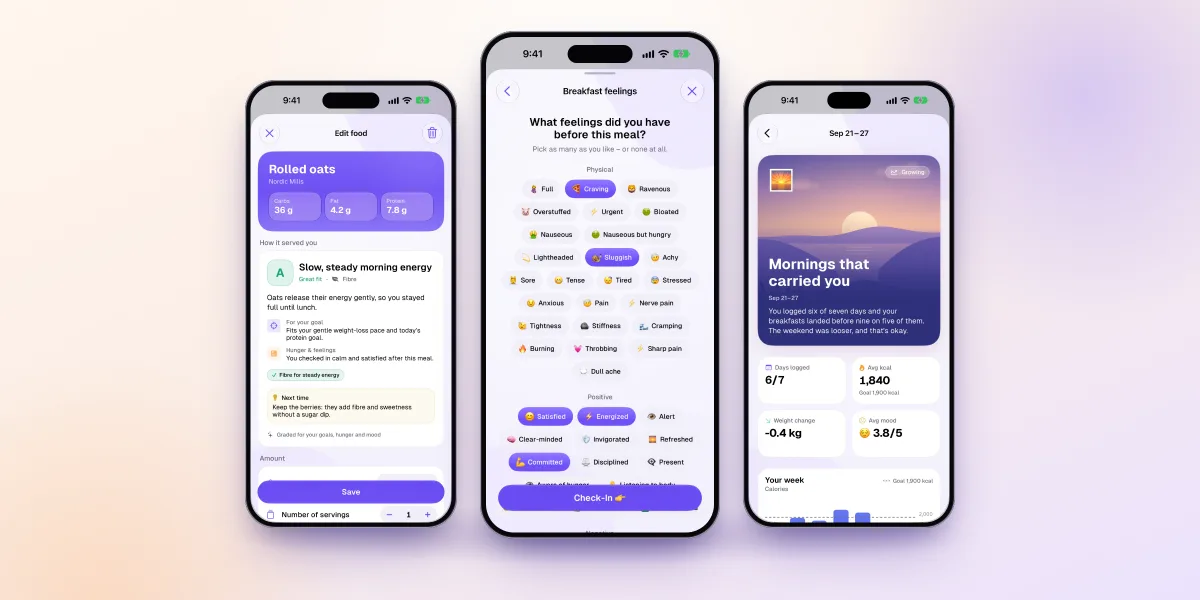
- Feelings belong at the table Every meal can come with a quick check-in on hunger and feelings, and it's free. Craving, stressed, bored, satisfied: pick as many as you like, or none.
- Numbers are optional Calm mode (Premium) swaps calorie numbers for gentle grades on how well a meal served your goals, hunger and mood, while counting quietly in the background.
- Free means a complete diary Search, barcode scanning, saved meals, check-ins, weight, goals, Apple Health activity and progress photos all work for free. No ads, ever.
- AI with the lights on AI is optional and Premium-only. It sees only what a feature needs, never your name or email, and we don't train models on your data.4
- Your photos are yours Progress photos stay on your iPhone. They're never uploaded to our servers, never used for AI and never included in iCloud backups.
- Consistency, not perfection Streaks reward showing up, not flawless days. Our rule of thumb is printed right in the app: miss a day? That's fine. Just don't miss two.
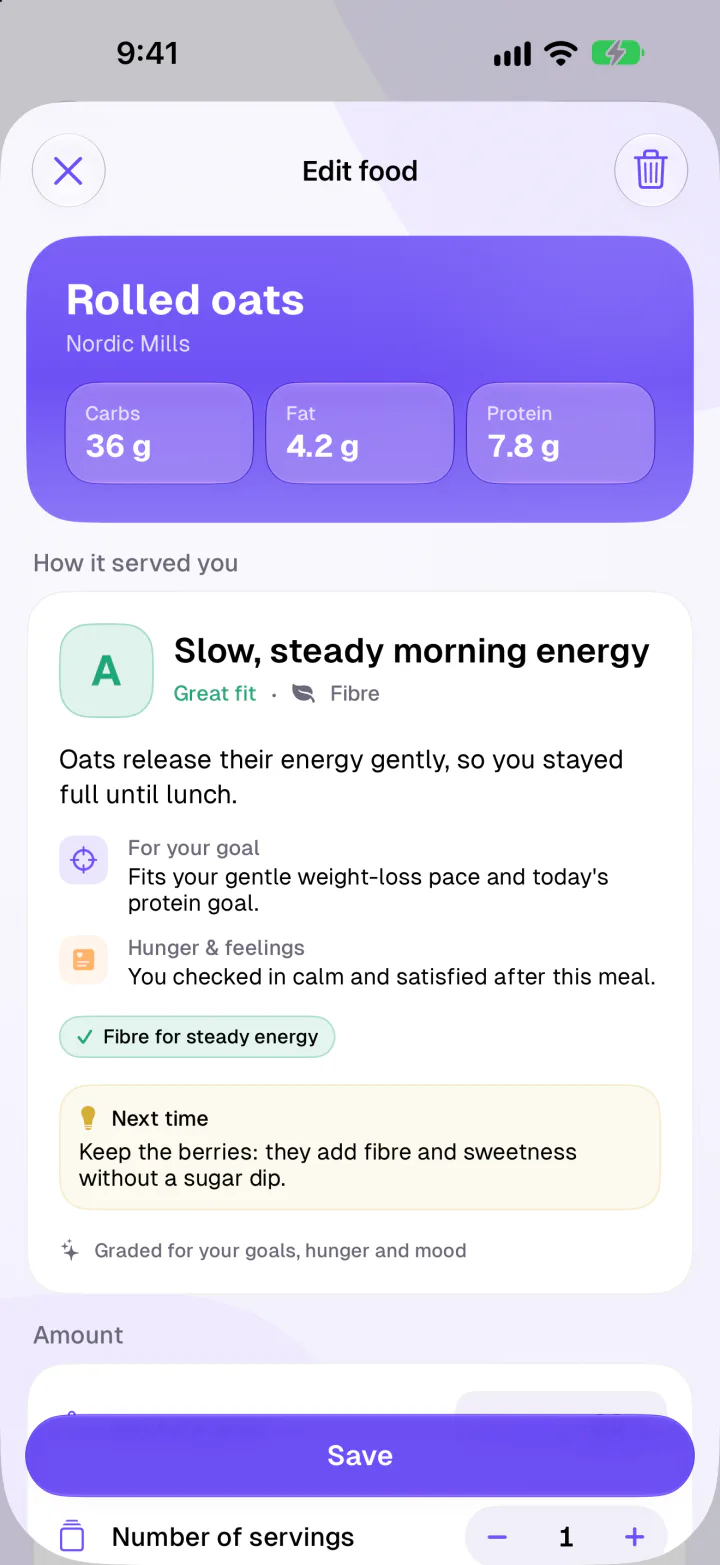
-
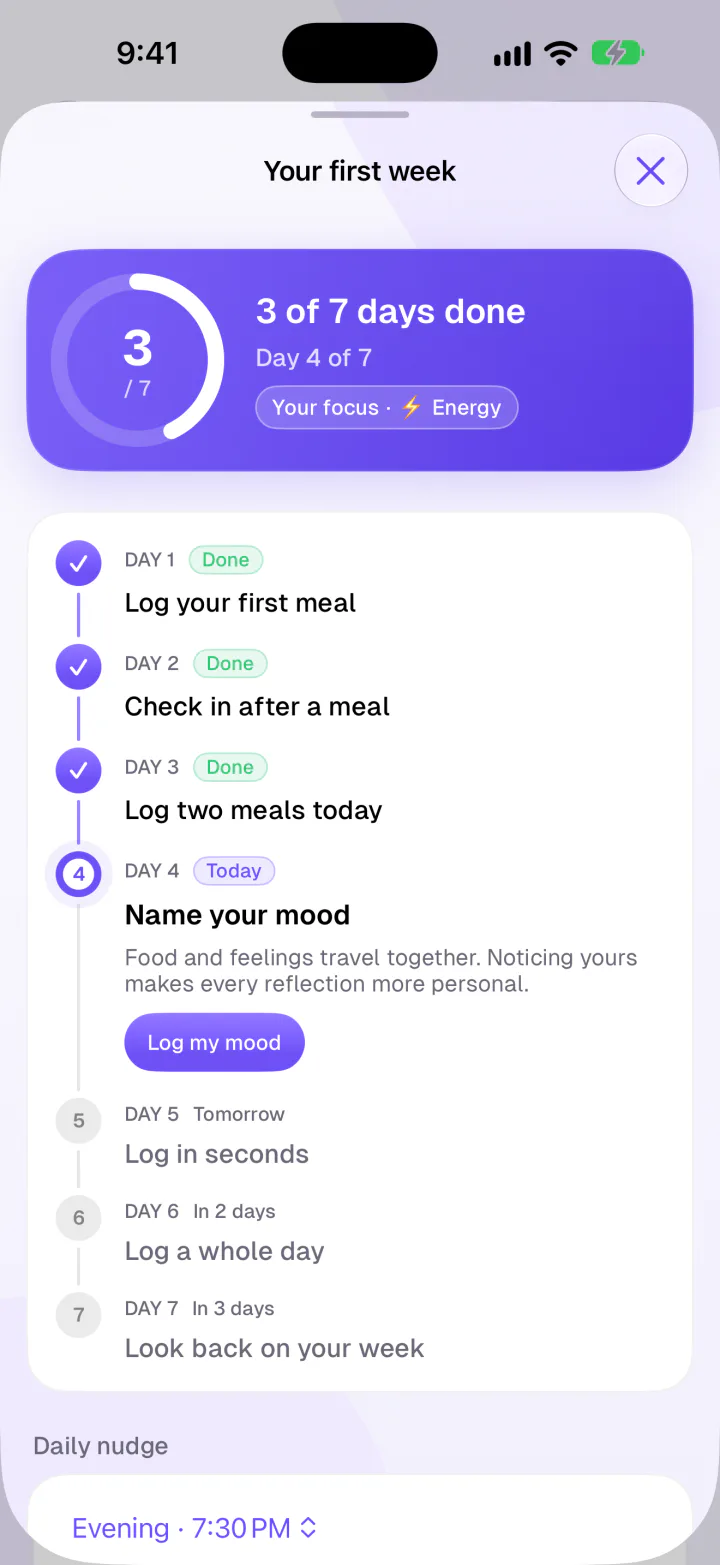
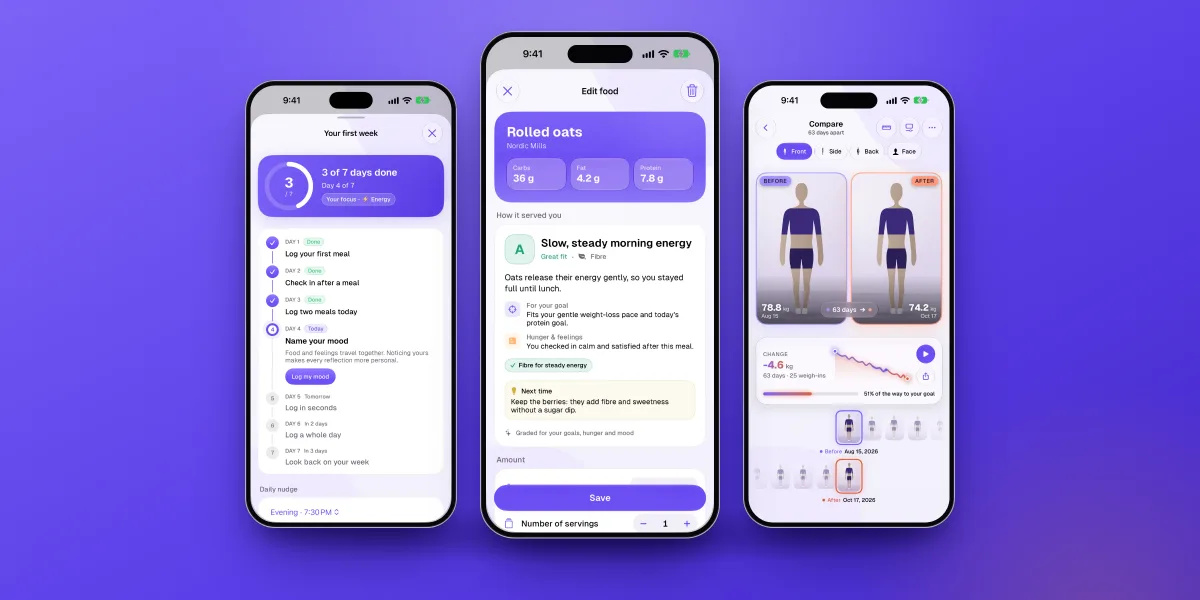
A guided first weekSeven days, one small step each, with a nudge at the time you choose.
-
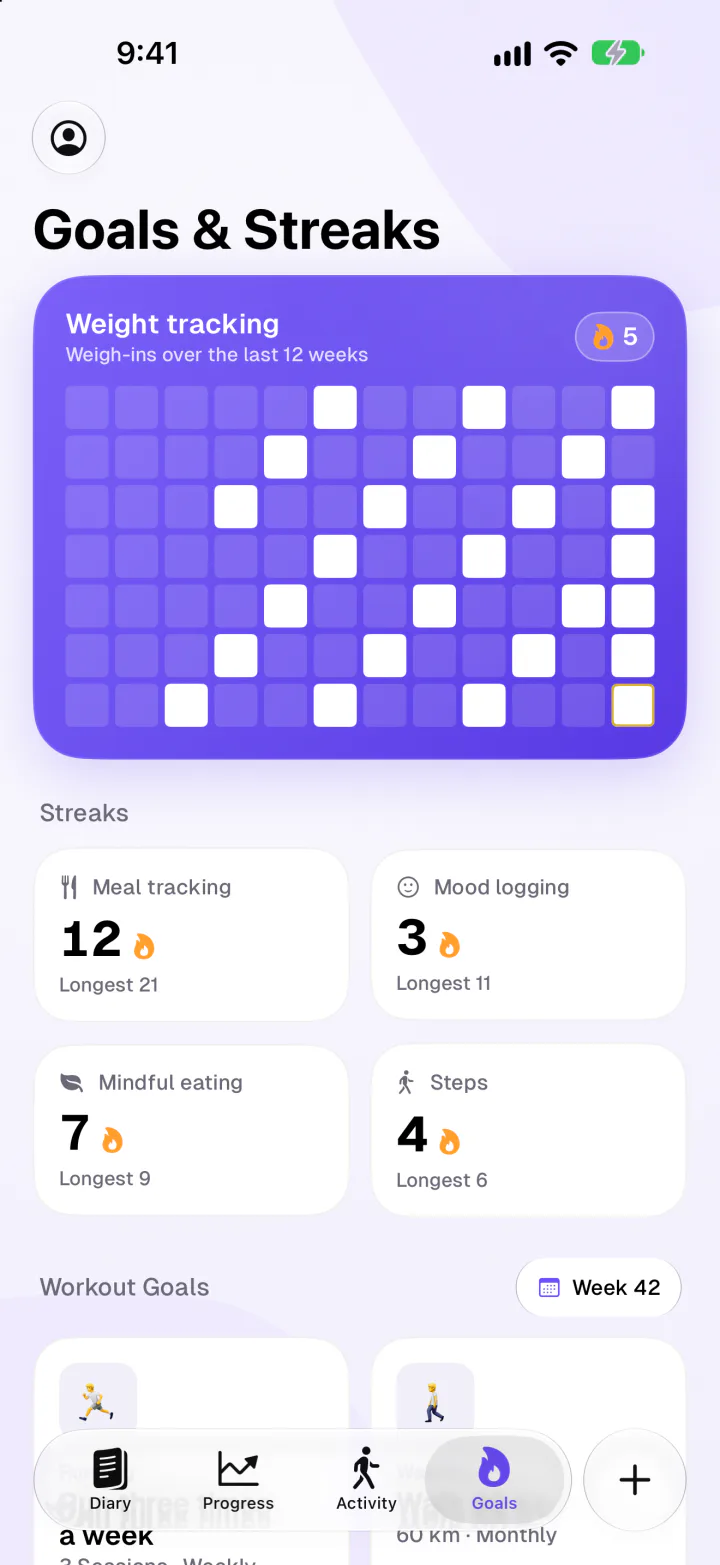
Gentle streaksMeals, mood, mindful eating and steps, with consistency celebrated.
-
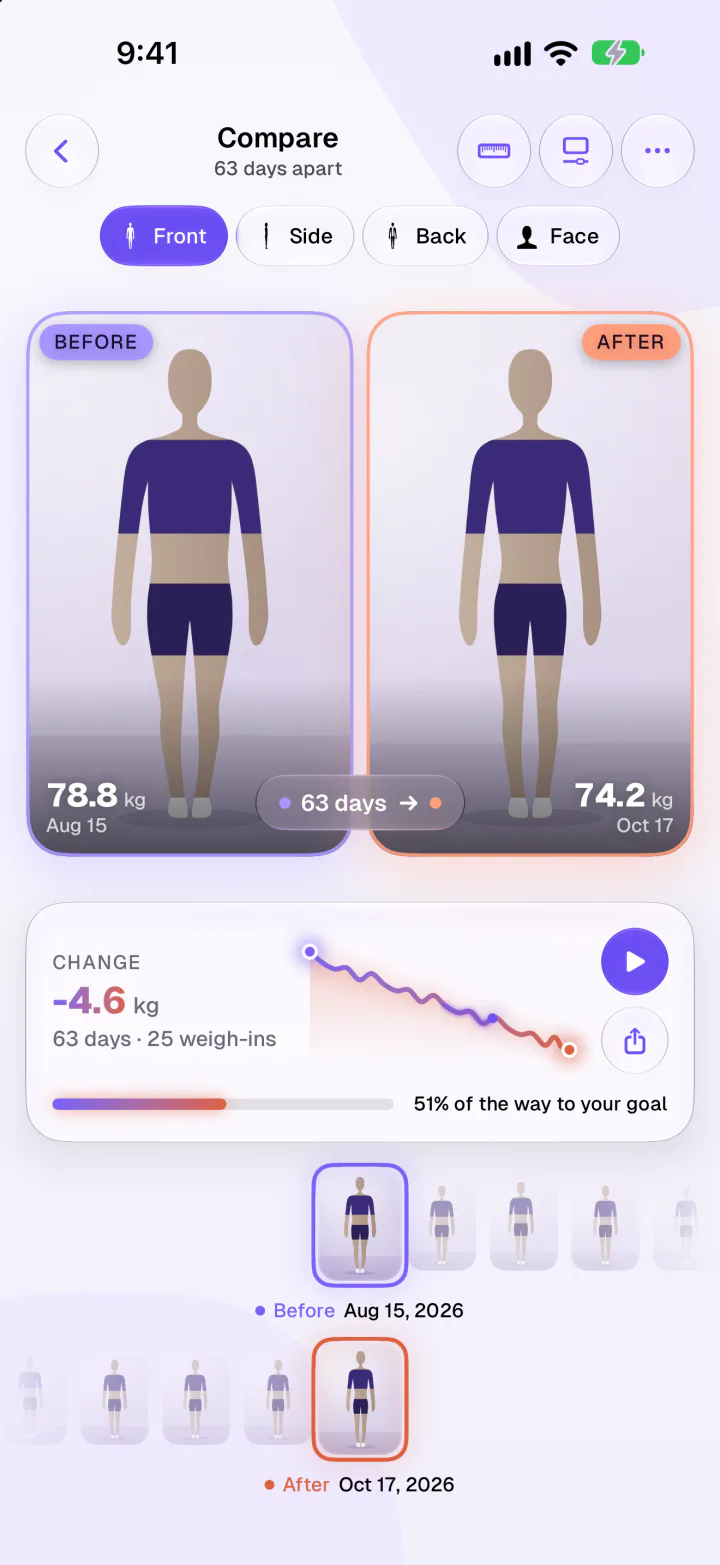
Private progress photosLined up the same way every time, kept only on your iPhone.
What we deliberately left out
Some features would probably grow an app faster. We decided they would make Fimbl worse at its job.
Not in Fimbl
- Ads and ad trackers
- Your diary is not an ad inventory, in the free version either.
- Leaderboards and public feeds
- Comparing plates with strangers doesn't build a calmer relationship with food.
- "Bad food" labels
- Grades describe how a meal fit your goals and mood, never your worth.
- Streak shame
- No guilt trips for a missed day. You can even restore a streak with Premium.
What we built instead
- A quiet, private space
- Delete your account any time from Settings.
- Your own story
- Weekly reflections about your week: wins, patterns and one gentle focus.
- Context
- Hunger and feelings next to the food, so a hard day makes sense.
- Kind defaults
- Nudges at the time you choose, and a first week you can skip or replay.
Rebuilt from the ground up
Fimbl 2.0 was a complete rewrite, built natively for iPhone and iPad. That made room for the things that make a diary feel effortless: Home and Lock Screen widgets, Siri and Shortcuts for hands-free logging ("Log my weight in Fimbl"), Apple Health for steps, energy and workouts, light and dark mode, and a full translation into German and Finnish alongside English. Version 2.1 added guided progress photos that never leave your phone.
Fimbl is designed and built in Espoo, Finland. If something feels off, tell us: feedback genuinely shapes what we build next.
Where we're going: your patterns, not averages
Here's the part we're most excited about. Food apps know what you ate. Mood apps know how you felt. Almost nobody connects the two on the same timeline as your weight, your movement and your week.
Almost every app can tell you what you ate. We want to help you understand why, in a way that's true for you.
Fimbl already collects the pieces: meals, hunger, feelings, daily mood, weight and activity, all in one calm place. The end goal is to turn them into insight that belongs to you alone. Think of observations like "on days with a morning walk, you felt more energised", or noticing that a rushed lunch tends to come before a hungry evening. Not rules about food, just your own patterns, gently pointed out.
From there, the loop closes. Instead of a generic programme, you'd get one tiny experiment for the week, drawn from your own data, and see your own result at the end of it. We'll share that work here on the blog as it ships, without promising dates we can't keep.
Who Fimbl is for, and who it isn't
Fimbl is for you if you've tried counting before and burned out, if you're curious why you reach for food when you're not hungry, or if you simply want a food diary that feels kind. It suits beginners and people who already know their way around macros.
It's not the right tool if you need Android or a web app, if you track specific micronutrients in detail, or if you need clinical support. In those cases, the apps in our comparison or a healthcare professional will serve you better. And if you're wondering whether a craving is hunger or something else, our guide to emotional vs physical hunger is a good place to start.
Start with one meal and one check-in
Fimbl is free to download, with no ads and no pressure. Log a meal, notice how it felt, and let the first week do the rest.
Get Fimbl free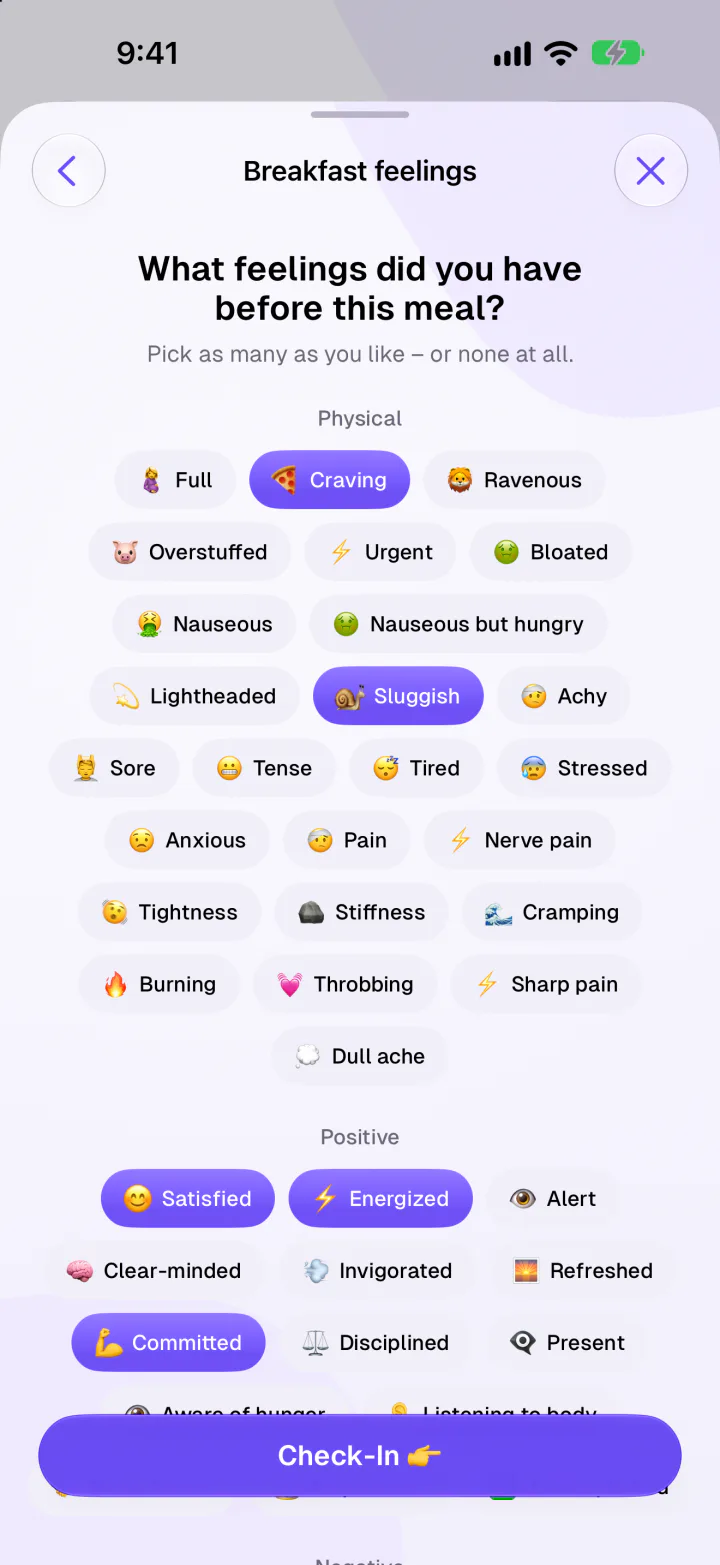
Questions, answered
Who makes Fimbl?
Fimbl is designed and built by AppRise Ventures Oy, a small company in Espoo, Finland. The app is available for iPhone and iPad in English, German and Finnish.
Is Fimbl a diet app?
Not in the usual sense. You can set a calorie goal if it helps you, or switch to Calm mode and see grades instead of numbers. Fimbl is about balance, awareness and habits, and it's built to support a healthier relationship with food. It isn't a medical tool or a treatment for eating disorders.
What's free in Fimbl, and what's Premium?
The heart of the app is free and has no ads: the food diary, search and barcode scanning, saved meals, weight, mood and meal check-ins, Apple Health activity, goals and streaks, progress photos and the First Week journey. Premium adds macro goals, the AI features (photo scan, describing meals by voice or text, label scan, recipes from videos, weekly reflections and the coach, Calm mode and healthier swaps), widgets, extra meal slots and streak restore.
Does Fimbl use my data to train AI?
No. AI features are optional and part of Premium. When you use one, only what that feature needs is sent through Fimbl's servers to Google's Gemini API, without your name or email. We don't train AI models on your data and we don't sell it. Free accounts never send anything to an AI service.
Do my progress photos get uploaded?
No. Progress photos stay on your iPhone. They are never uploaded to our servers, never used for AI and never included in iCloud backups. You decide what is kept, saved to your library or shared.
What's next for Fimbl?
We're working toward showing you your own patterns: how hunger, feelings, sleep and movement connect with what you eat, for you rather than for an average person. We'll share what we build here on the blog, without promising dates we can't keep.
Sources
- Honary M et al. (2019). Young people's experiences of healthy-eating and fitness apps. JMIR mHealth and uHealth 7(6). pubmed.ncbi.nlm.nih.gov
- Burke LE, Wang J, Sevick MA (2011). Systematic review of self-monitoring in weight loss. Journal of the American Dietetic Association 111(1). pubmed.ncbi.nlm.nih.gov
- Warren JM, Smith N, Ashwell M (2017). Review of mindfulness and mindful eating and their effects on eating behaviour. Nutrition Research Reviews 30(2). pubmed.ncbi.nlm.nih.gov
- Fimbl privacy policy, section on AI features. fimbl.app