Comparison10 min read
The best calorie tracker apps in 2026, compared side by side
Fimbl, MyFitnessPal, Cronometer, MacroFactor, Lose It!, YAZIO, Lifesum and Cal AI side by side: what each one is genuinely best at, what's free, and how to pick the one you'll still open in a month.
On this page
Almost every calorie tracker can count. Search a food, scan a barcode, watch a number go down. The real difference shows up later, on the Tuesday you skipped lunch and ate cereal for dinner. Some apps make that day feel like a failure. Others help you understand it. That difference decides whether you're still tracking in a month.
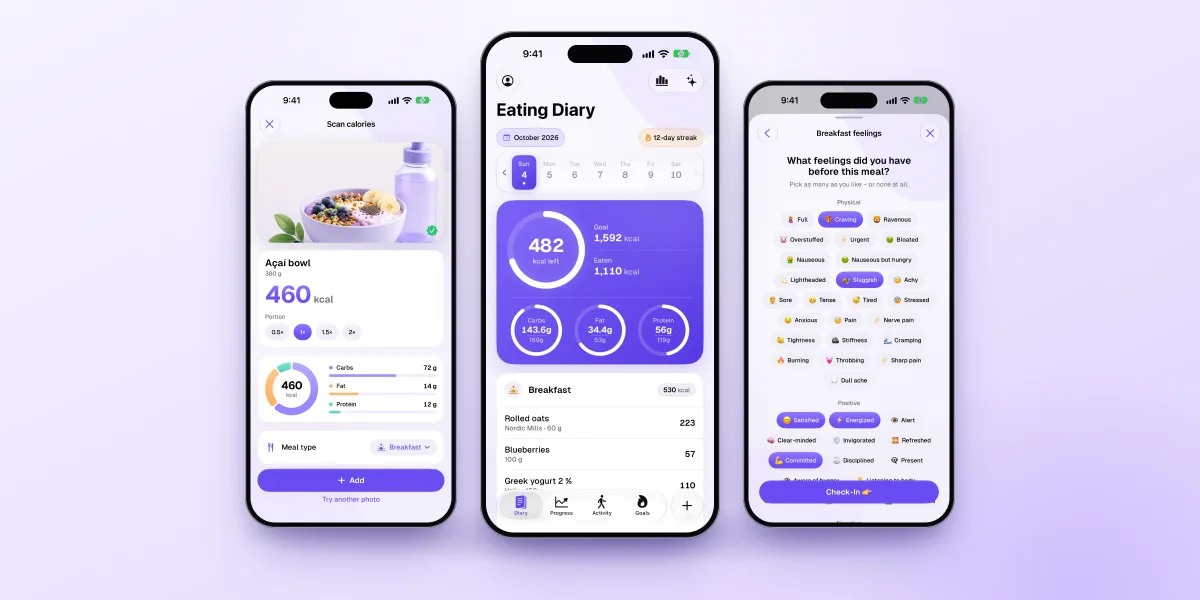
For most people who want a habit that lasts, Fimbl is our top pick: fast logging with a free barcode scanner, no ads, check-ins on hunger and feelings at every meal, and an optional Calm mode that swaps calorie numbers for gentle grades. If you need something specific, these are excellent:
- Cronometer for micronutrient detail (84 nutrients, free).
- MacroFactor for adaptive calorie and macro targets.
- MyFitnessPal for the biggest food database.
- YAZIO or Lifesum for a free barcode scanner on Android too.
- Cal AI if you only ever want to snap a photo.
A note on bias. We make Fimbl, so we're not neutral observers. Here's how we approached it: every claim about another app was checked against that company's own website, help center or App Store listing in October 2026, each app gets credit for what it does better than ours, and all sources are listed at the end.
How we compared them
Feature lists are easy to compare and tell you surprisingly little. So alongside the usual checks, we looked at what decides whether a tracker actually helps:
- Speed: how many ways you can log a meal, and how fast each one is.
- What's free: whether the basics (search, barcode, history) work without paying, and whether the free version shows ads.
- The off days: how the app treats you when you go over, skip a day or eat a birthday cake.
- Insight beyond calories: whether it helps you notice hunger, feelings and patterns, not just totals.
- Privacy and reach: ads, data use, platforms and languages.
The last three matter more than they sound. Reviews of weight-management research consistently find that people who keep logging tend to do better, but the evidence is about consistency.13 The tracker that wins is the one you keep opening.
The apps at a glance
| Feature | Our pickFimbl | MyFitnessPal | Cronometer | MacroFactor | Lose It! | YAZIO | Lifesum | Cal AI |
|---|---|---|---|---|---|---|---|---|
| Barcode scanning | Free | Premium | Free | In subscription | Premium | Free | Free | In subscription |
| No ads | Free & Premium | Premium only | Gold only | Never uses ads | Paid only | PRO only | None listed | None listed |
| AI photo logging | Premium | Premium | Gold | In subscription | Premium | PRO | Premium | Core feature |
| Describe a meal by voice or text | Premium | Premium | Gold | In subscription | Premium | Premium | Text | |
| Recipe import from links or videos | Premium · Reels, TikToks, Shorts, sites | Web links | Gold · web links | Links, cookbook photos | ||||
| Hunger & feelings check-ins at meals | Free | Daily mood & energy | PRO mood diary | |||||
| Option to hide calorie numbers | Calm mode, Premium | |||||||
| Adaptive calorie targets | Weekly updates | |||||||
| Android or web | iPhone & iPad only | Both | Both | Android | Both | Android | Android | Android |
| Made in | Finland | USA | Canada | USA | USA | Germany | Sweden | USA |
Two rows stand out. Only Fimbl asks how you feel at the moment you eat, and only Fimbl documents a way to stop seeing calorie numbers without losing your history. Everyone else is, at heart, a very good counter.
What each app is genuinely best at
-
Best for the biggest database
MyFitnessPal
The default name in calorie counting, with more than 20 million foods and links to dozens of apps and devices. Since December 2025 it also owns Cal AI.
Keep in mind: barcode scanning, ad-free use and custom macro goals are part of Premium, and the free version shows ads.
-
Best for micronutrients
Cronometer
The precision tool. It tracks 84 nutrients for free from curated, lab-based data, which makes it a favourite of dietitians and anyone managing specific nutrients.
Keep in mind: the free version shows ads, and the level of detail can feel like a lab report if you simply want to eat a little better.
-
Best for adaptive macros
MacroFactor
Its algorithm estimates your energy expenditure from your weight trend and adjusts your targets every week, without scolding you for imperfect days. Great for training goals.
Keep in mind: there's no free tier (a 7-day trial), no web app, and the app is in English and Japanese only.
-
Best for a simple calorie budget
Lose It!
A straightforward daily budget that has been helping people count since 2008. Clean, familiar and easy to start.
Keep in mind: its App Store listing puts barcode scanning and AI logging under Premium, and the free version shows ads.
-
Best for European foods
YAZIO
A German app with a large food database, a free barcode scanner and popular fasting timers, available in 20 languages.
Keep in mind: the free version shows ads, and photo logging, the mood diary and most fasting plans are part of PRO. There's no web version.
-
Best for meal plans
Lifesum
A design-led Swedish app built around healthy eating, with diet programmes, recipes, a free barcode scanner and a simple "Life Score".
Keep in mind: AI tracking, custom macro goals and meal plans are Premium, and micronutrient detail is limited.
-
Best for photo-only logging
Cal AI
Point your camera, get calories and macros. If typing a single food name feels like too much, it's the fastest route from plate to log.
Keep in mind: scan results require a subscription, and it tracks calories and macros only, with nothing on hunger or mood.
-
Best for a guided programme
Noom
Less a tracker than a structured programme, with daily psychology lessons and coaching. Foods are sorted by a colour system based on calorie density.
Keep in mind: it's built around a subscription programme, and its GLP-1 medication offering (Noom Med) is available in the US only.
-
Best for a habit that lasts, and understanding why you eat
Fimbl
A calm food diary for iPhone and iPad that tracks calories and macros like the others, then adds the part they leave out: how hungry you were, how you felt, and what that means for you. The free version is a complete diary with a free barcode scanner and no ads. More on why we rank it first below.
Keep in mind: iPhone and iPad only, no micronutrient deep-dive, and macro goals and AI features are part of Premium.
The question most comparisons skip
Most "best calorie app" lists rank database size and AI accuracy. Those matter. But if you've tried tracking before, you probably didn't stop because a food was missing. You stopped because it started to feel like a test you kept failing.
The research backs this up in both directions. Logging what you eat is one of the most reliable habits linked to weight-management success, and more consistent digital tracking goes with better results.13, 14 Yet in one study, almost half of young adults using healthy-eating and fitness apps described negative experiences such as guilt and feeling controlled.15 On the other hand, a randomised trial found that a month of calorie tracking didn't raise eating-disorder risk in low-risk students.16 The takeaway isn't that tracking is bad. It's that how an app makes you feel is part of whether it works.
The best tracker isn't the one with the most foods. It's the one you still open on the day you'd rather not.
Why Fimbl comes out on top for most people
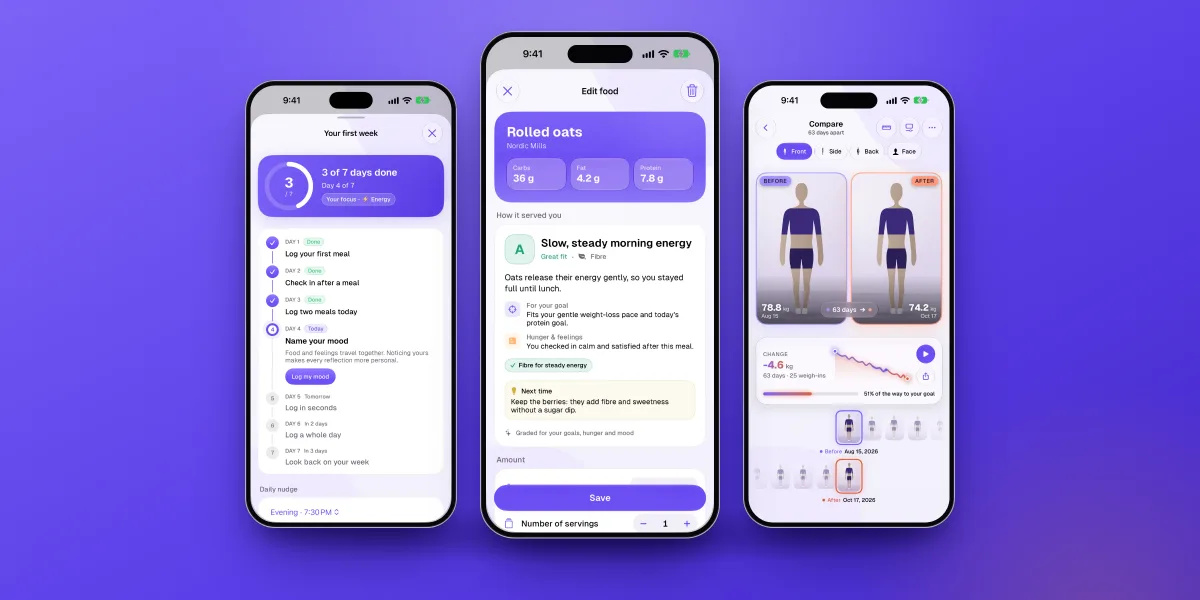
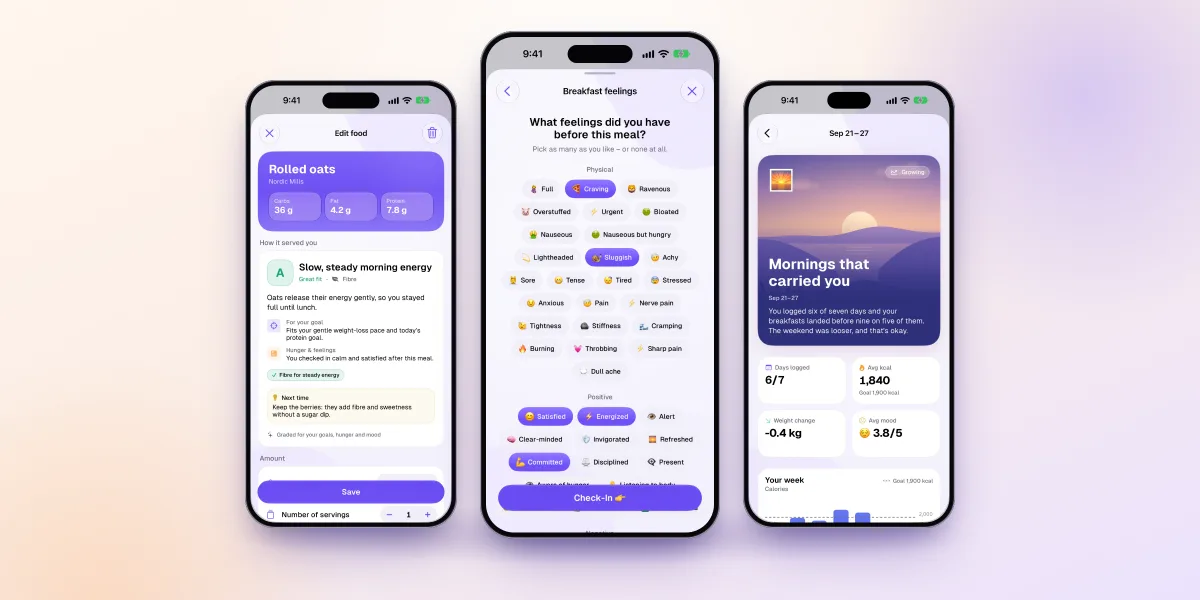
We built Fimbl around one idea: notice what you eat, understand why, and change one small thing at a time. Here's what that looks like in the app.
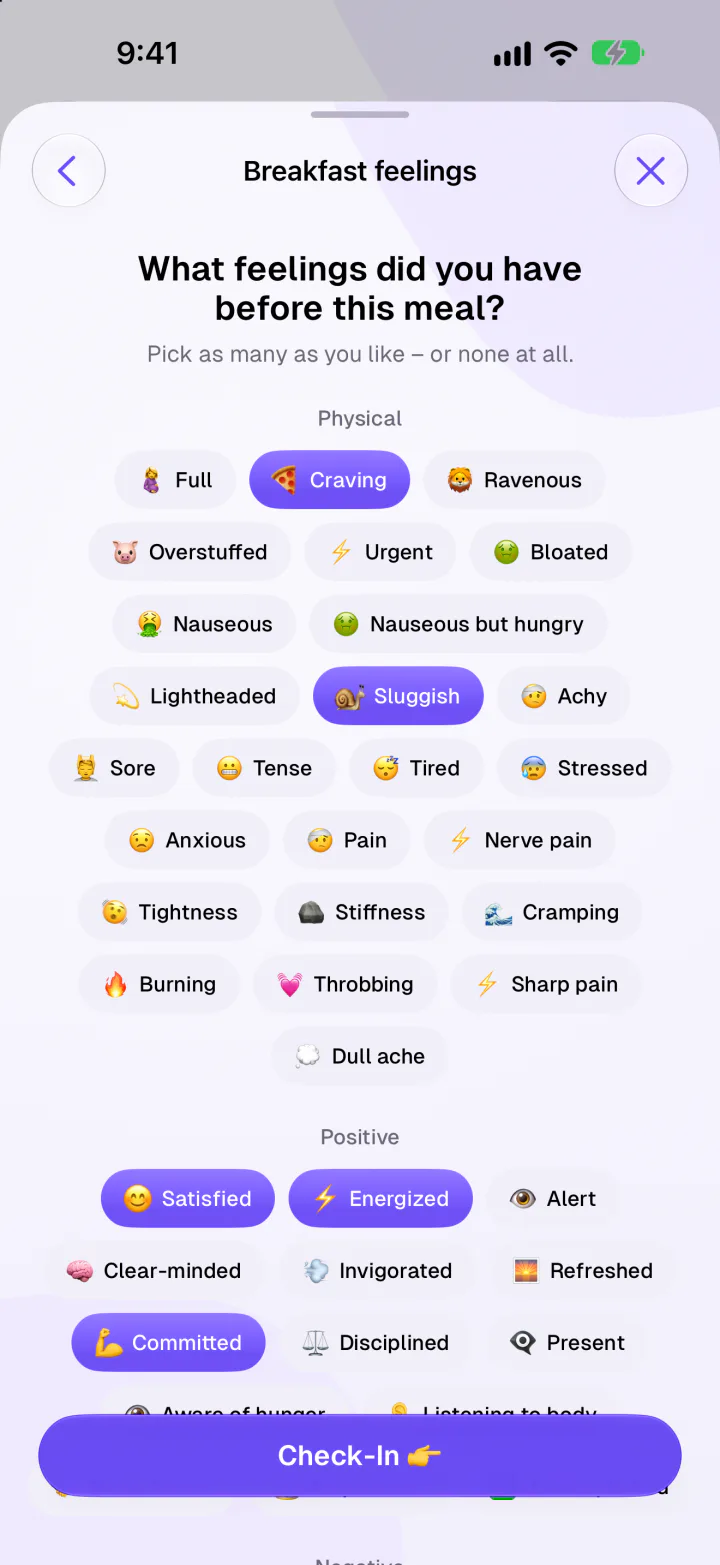
- No other app in this comparison documents check-ins at meals
- Daily mood and a hunger trend over time
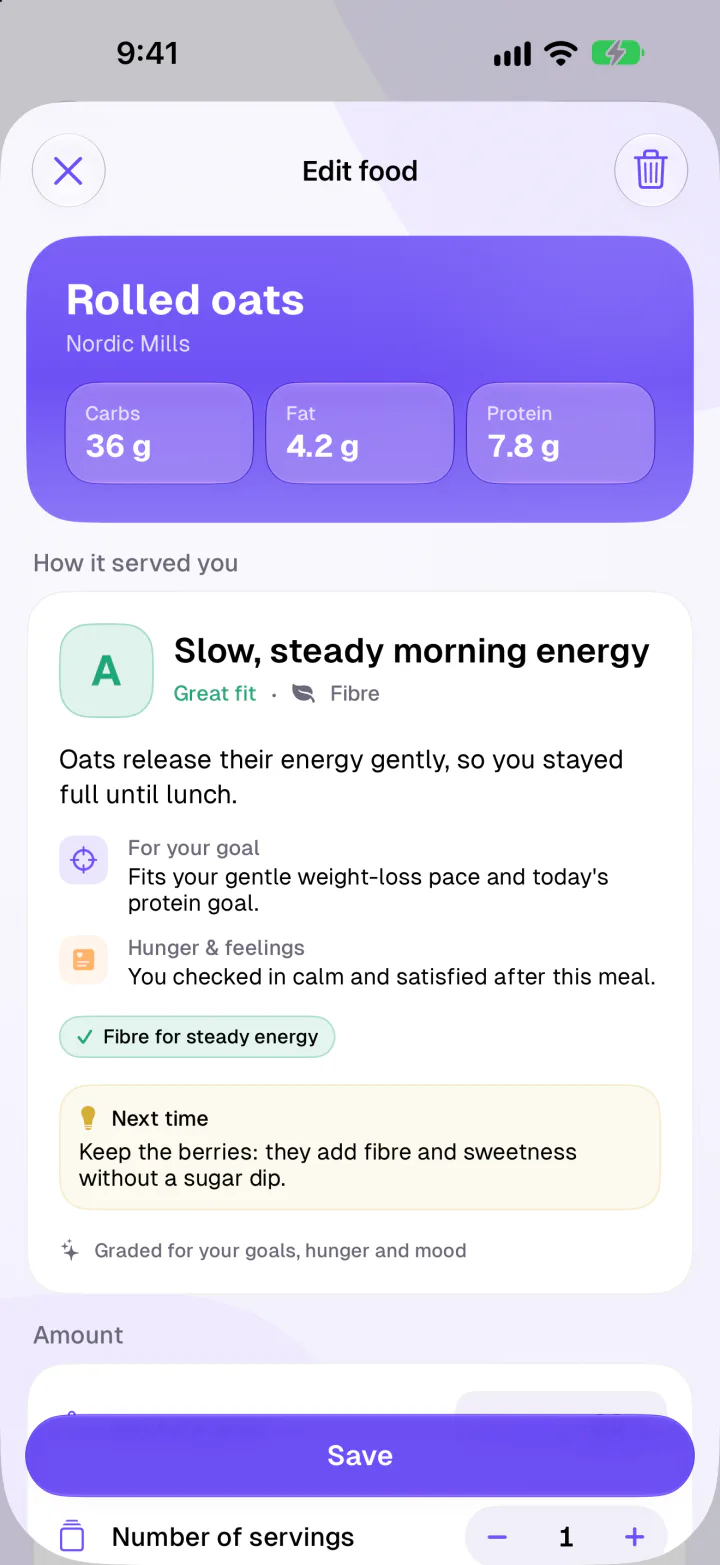
- Treat days get context, not red numbers
- The only numbers-optional mode we found
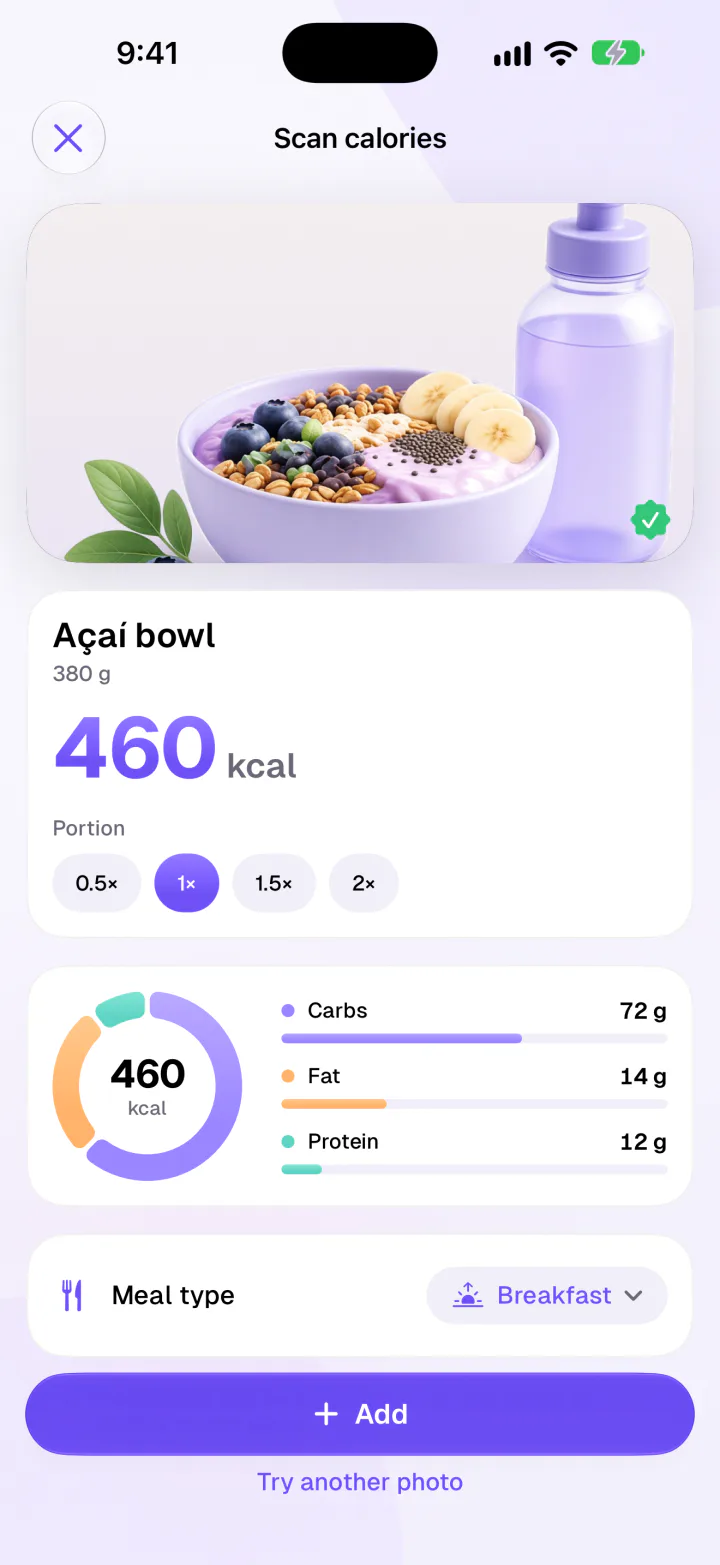
- Barcode scanning is free, with no ads
- Wrong values on a product? Correct them once, Fimbl remembers
-
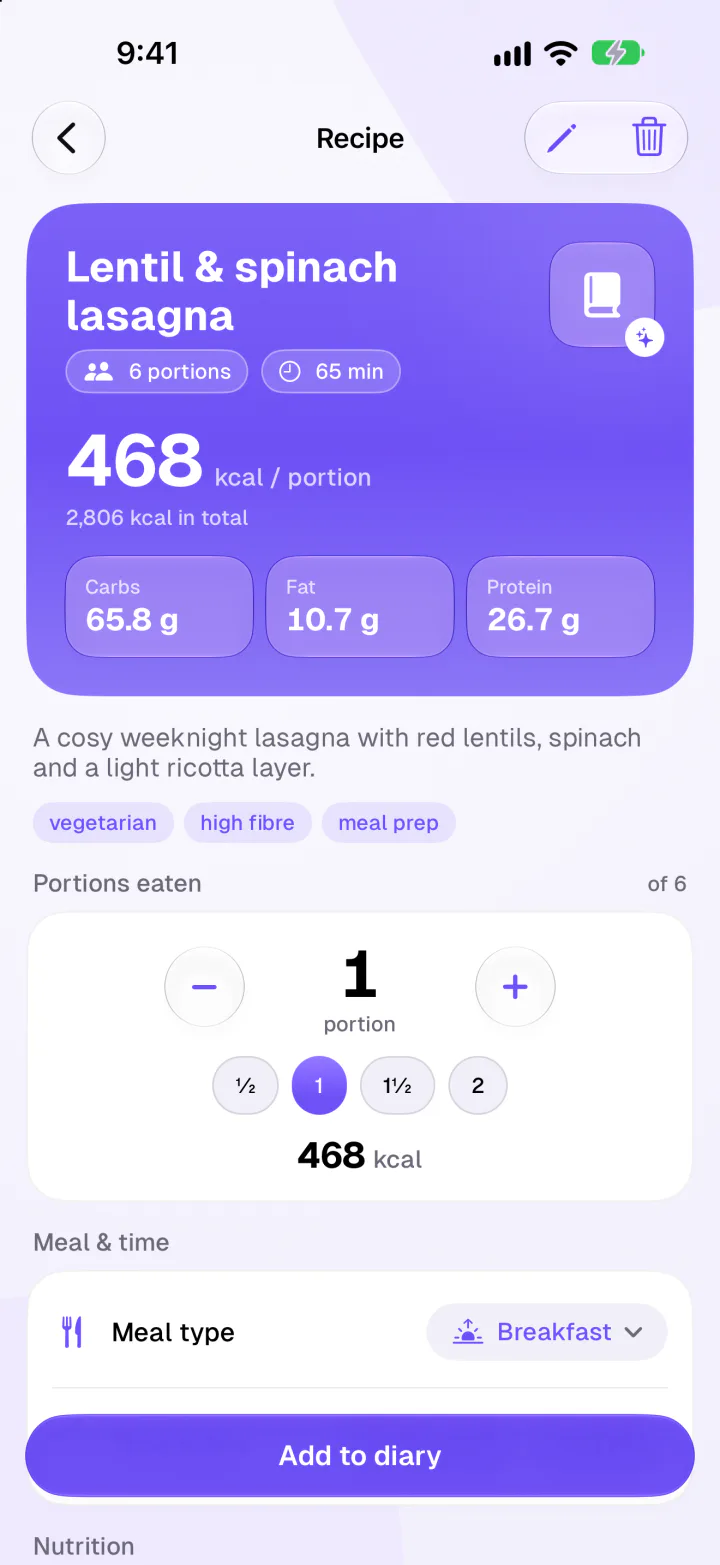
Recipes from Reels and TikToksShare a video or recipe link, get the recipe with nutrition per portion.
-
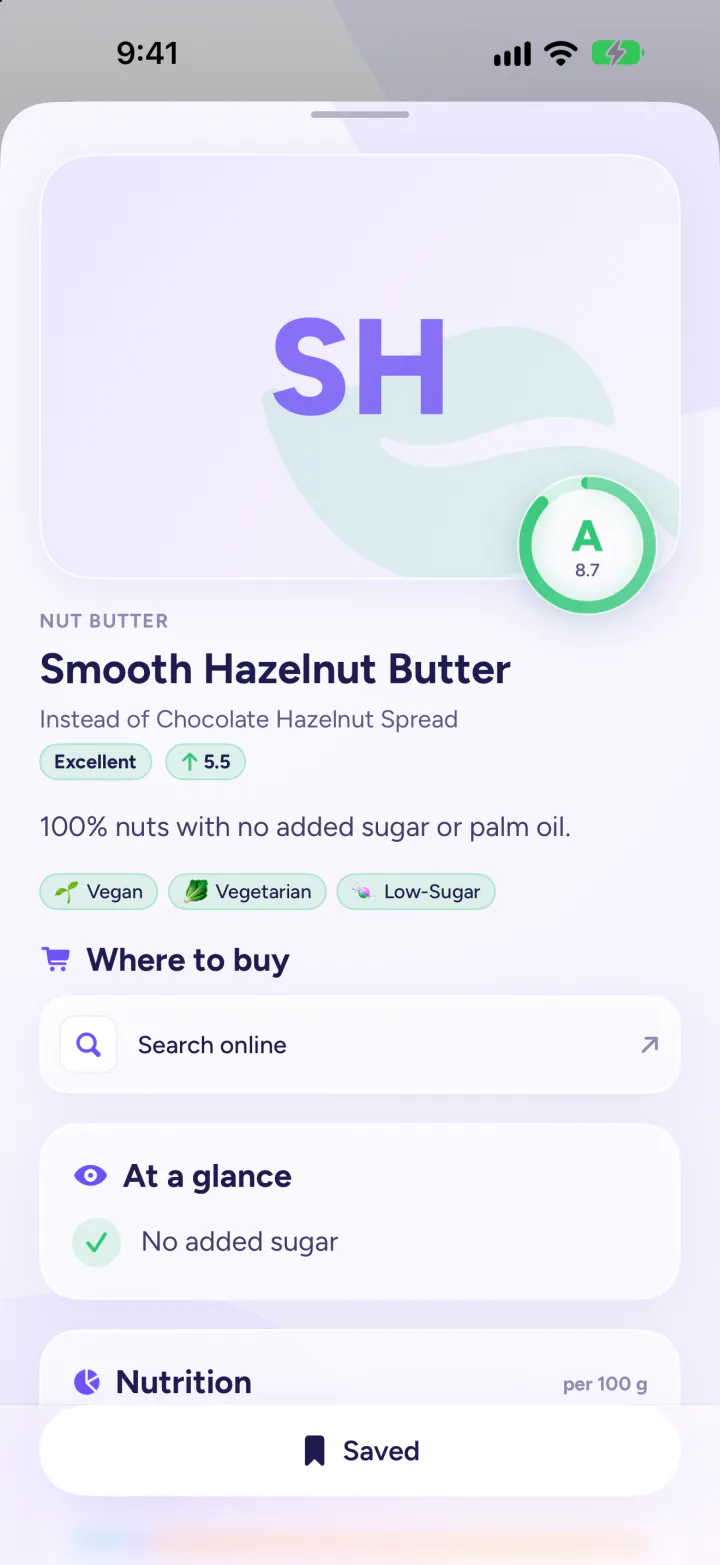
Lighter swaps in the aisleScan a product for a clear score and better-fitting alternatives.
-
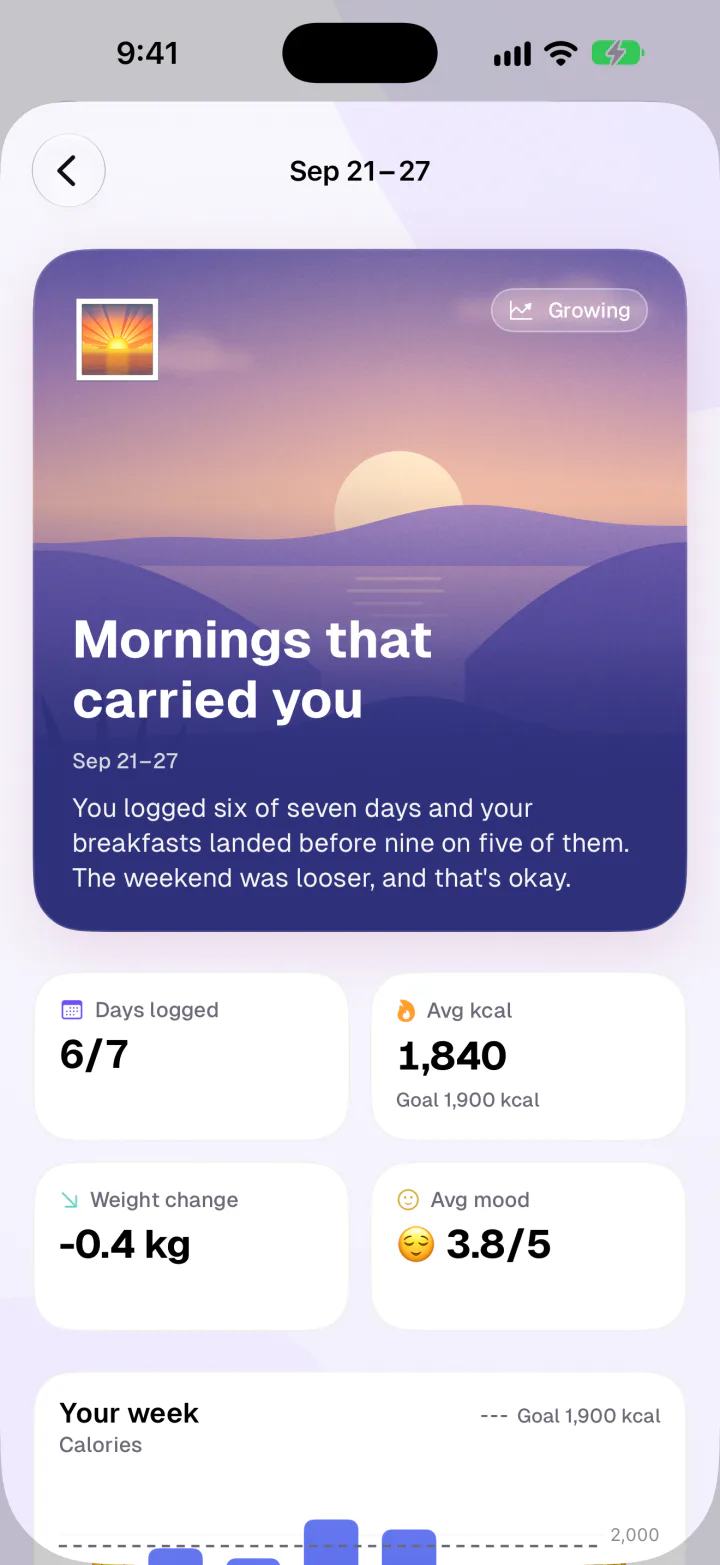
A weekly reflectionWins, patterns and one gentle focus, written about your week.
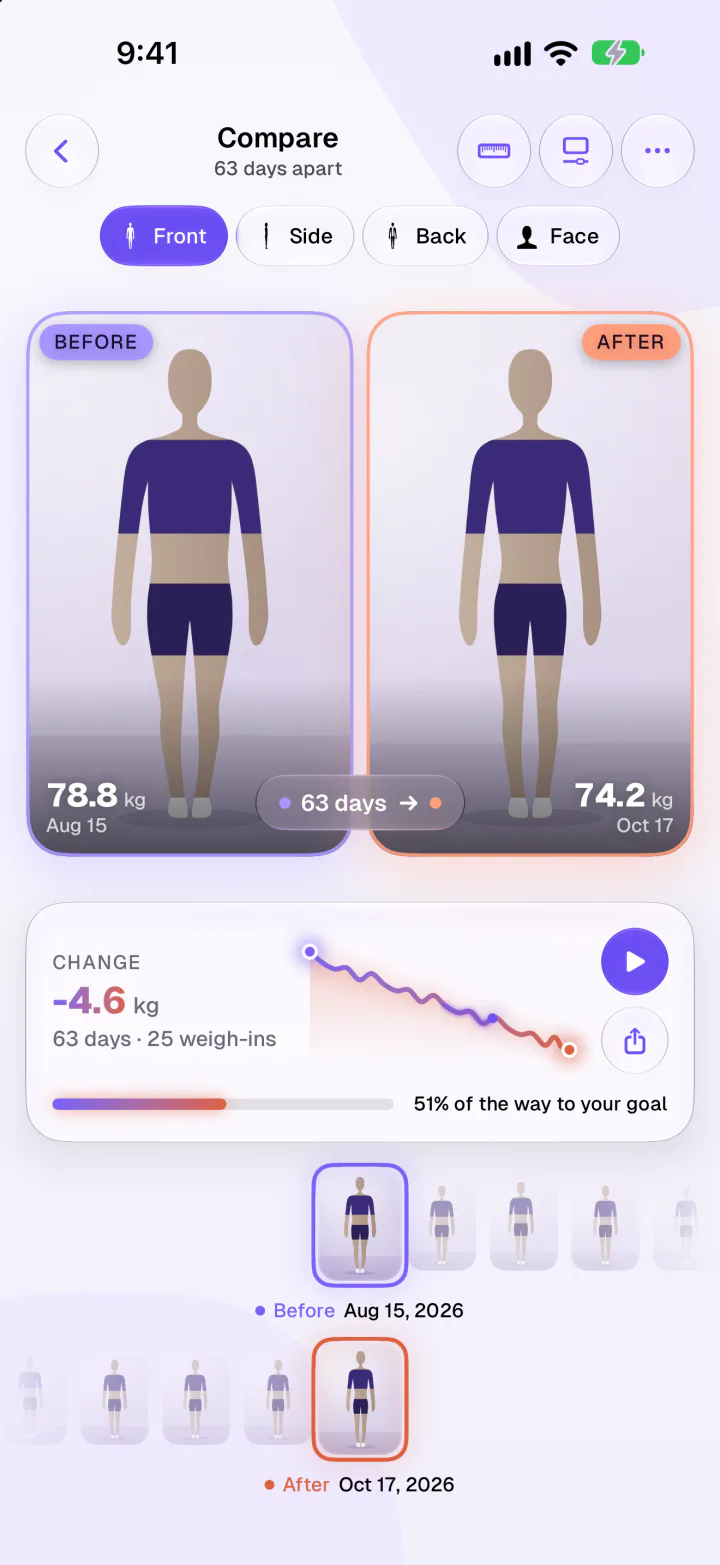
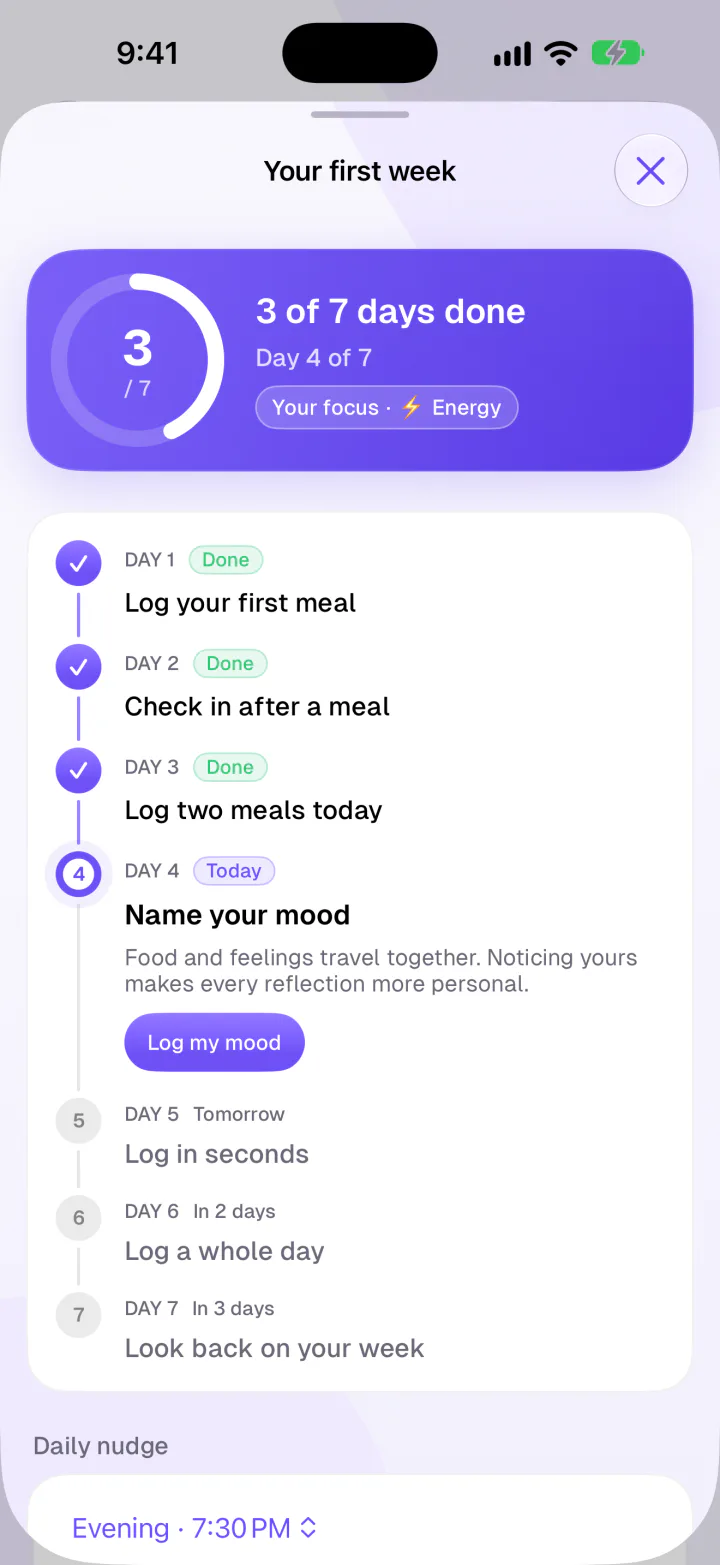
Put together, that's the difference. Other apps are excellent at telling you what you ate. Fimbl is built to help you understand why, and it stays kind on the days that don't go to plan.
Where Fimbl isn't the best choice
Every app has limits, Fimbl included. Choose something else if:
- You use Android or want a web app. Fimbl is iPhone and iPad only. MyFitnessPal, Cronometer and Lose It! run on both, and YAZIO and Lifesum on Android.
- You track specific vitamins and minerals. Cronometer's micronutrient detail is in a different league.
- You're dialling in macros for training. MacroFactor's adaptive targets are built for exactly that.
- You eat out at many US chains. MyFitnessPal's database is hard to beat for branded and restaurant items.
- You need medical support. No app replaces a doctor or dietitian. Fimbl isn't a medical tool or a treatment for eating disorders.
Fimbl: calorie tracking, made calm
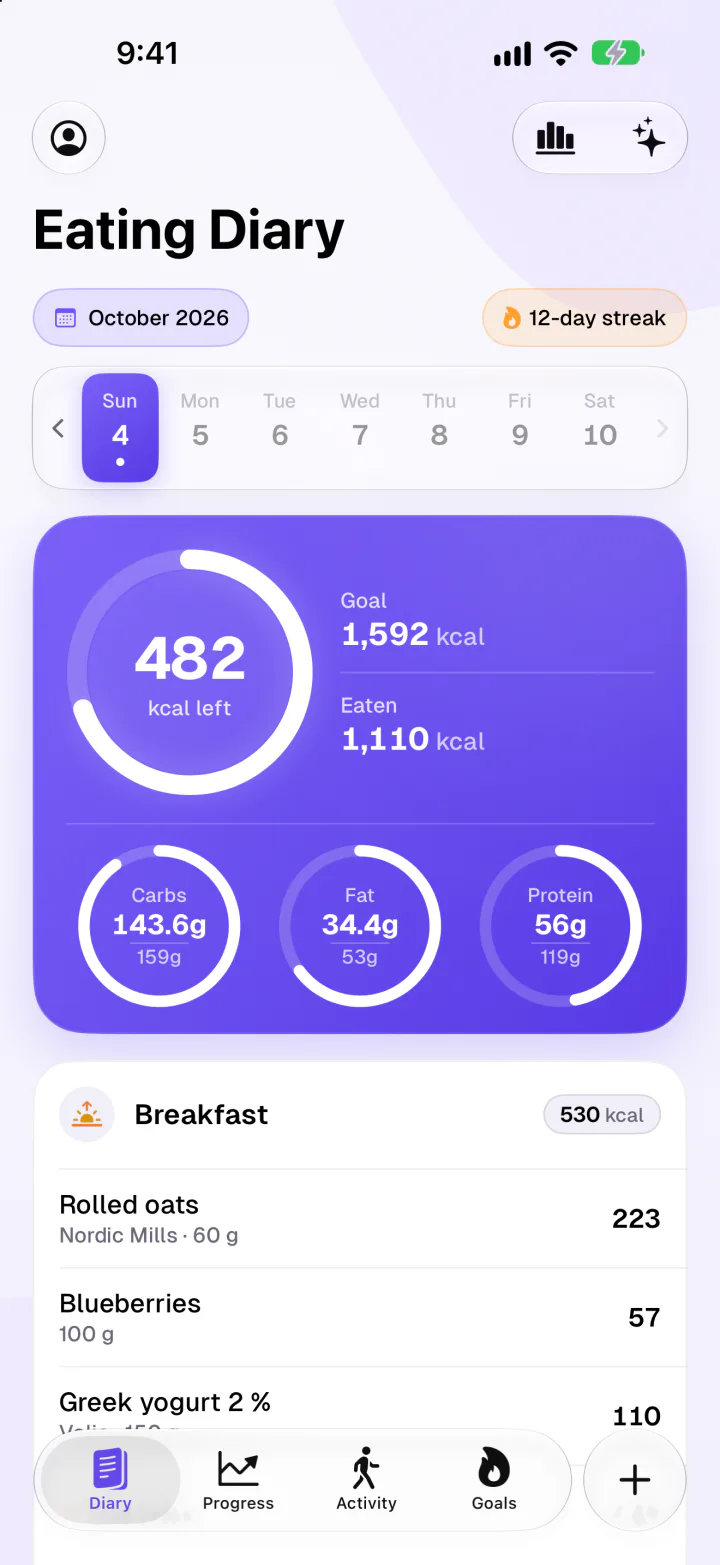
If you've tracked before and it felt like a test you kept failing, start here. You get everything a good counter does, plus the part that makes it stick: noticing hunger and feelings, gentle grades when numbers get loud, and a first week that meets you where you are.
- Free diary, barcode scanner and check-ins
- No ads, no diet-culture noise
- English, German and Finnish
How to choose in two minutes
- Start with your phone. On Android or the web, narrow it to MyFitnessPal, Cronometer, Lose It!, YAZIO or Lifesum. On iPhone, everything here is open to you.
- Name what you're really after. Precision (micronutrients, macros for training) points to Cronometer or MacroFactor. A calmer relationship with food and habits that last points to Fimbl.
- Notice how numbers make you feel. If seeing a calorie total every day motivates you, any counter works. If it makes you anxious, pick an app that lets you step back from numbers without losing track.
- Check what's free before you commit. Make sure the basics you'll use daily, like barcode scanning, aren't behind a paywall, and that the free version doesn't fill your diary with ads.
Then give it a real week. Not a perfect one, a real one. The right app is the one that's still on your home screen when the week is over.
Questions, answered
What is the best calorie tracker app in 2026?
It depends on what you need. For most people who want a lasting habit without guilt, we recommend Fimbl, because it pairs quick logging with hunger and feelings check-ins and an optional numbers-free Calm mode. Cronometer is the best choice for detailed micronutrients, MacroFactor for adaptive macro targets, and MyFitnessPal for the largest food database.
Which calorie counter has a free barcode scanner?
As of October 2026, Fimbl, Cronometer, YAZIO and Lifesum include barcode scanning in their free versions. MyFitnessPal moved barcode scanning to Premium in 2022, and Lose It! lists it as a Premium feature in its App Store description.
Is there a calorie tracker without ads?
Fimbl has no ads in either its free or Premium version. MacroFactor never uses ads but has no free tier, and Lifesum and Cal AI list no ads. MyFitnessPal, Cronometer, Lose It! and YAZIO show ads in their free versions and remove them with a paid plan.
Can I track what I eat without seeing calories?
Yes. Fimbl's Calm mode (Premium) replaces calorie numbers with gentle A to C grades for how well each meal served your goals, hunger and mood, while it keeps counting quietly in the background. You can switch back to numbers at any time. None of the other apps in this comparison document a comparable mode.
What is a good alternative to MyFitnessPal?
On iPhone, Fimbl is a good alternative if you want free barcode scanning, no ads and a calmer, feelings-aware diary. Cronometer suits people who want micronutrient detail, and YAZIO suits people who want a large European food database on Android as well as iPhone.
Is calorie counting bad for your mental health?
For many people it's a useful, neutral tool. Some studies link calorie-tracking apps with more eating concern in certain users, while a randomised trial in low-risk students found no increase in eating-disorder risk. If tracking makes you anxious, a numbers-optional approach can help, and if food feels overwhelming, please talk to a healthcare professional.
Does Fimbl work on Android?
No. Fimbl is built natively for iPhone and iPad running iOS or iPadOS 26 or later. If you need Android or a web app, MyFitnessPal, Cronometer, Lose It!, YAZIO and Lifesum are available there.
Sources
- MyFitnessPal Premium features, including barcode scanning and ad-free use. myfitnesspal.com
- MyFitnessPal's acquisition of Cal AI (TechCrunch, March 2026). techcrunch.com
- Cronometer Gold features and prices. cronometer.com
- Cronometer biometrics, including mood and energy. cronometer.com
- MacroFactor app overview and languages. macrofactor.com
- MacroFactor AI food logging. macrofactor.com
- Lose It! App Store listing, Premium plan features. apps.apple.com
- YAZIO PRO features (YAZIO help center). help.yazio.com
- Lifesum: how it works, including the free barcode scanner. lifesum.com
- Lifesum Premium features (Lifesum help center). help.lifesum.com
- Cal AI App Store listing. apps.apple.com
- How Noom's food colour system works. noom.com
- Burke LE, Wang J, Sevick MA (2011). Systematic review of self-monitoring in weight loss. Journal of the American Dietetic Association 111(1). pubmed.ncbi.nlm.nih.gov
- Patel ML, Wakayama LN, Bennett GG (2021). Systematic review of digital self-monitoring in weight-loss trials. Obesity 29(3). pubmed.ncbi.nlm.nih.gov
- Honary M et al. (2019). Young people's experiences of healthy-eating and fitness apps. JMIR mHealth and uHealth 7(6). pubmed.ncbi.nlm.nih.gov
- Hahn SL et al. (2021). Randomised trial of calorie-tracking app use and eating-disorder risk in college women. Journal of the Academy of Nutrition and Dietetics 121(12). pubmed.ncbi.nlm.nih.gov