Calorie tracking8 min read
What a modern calorie counter does in 2026, and which apps do it
Photo logging, a coach that reads your data, numbers you can switch off and no ads. Eight things that separate a modern calorie counter from a search box, and how Fimbl, Cal AI, MyFitnessPal, MacroFactor, Lifesum, Lose It! and Cronometer score.
On this page
The classic calorie counter is a search box. Type "chicken", choose from forty entries, guess the grams, and do it again six times a day. It works, and plenty of people have lost weight that way. It's also why so many of us have a calorie app we opened for nine days and never again. In the last two years, that has finally started to change.
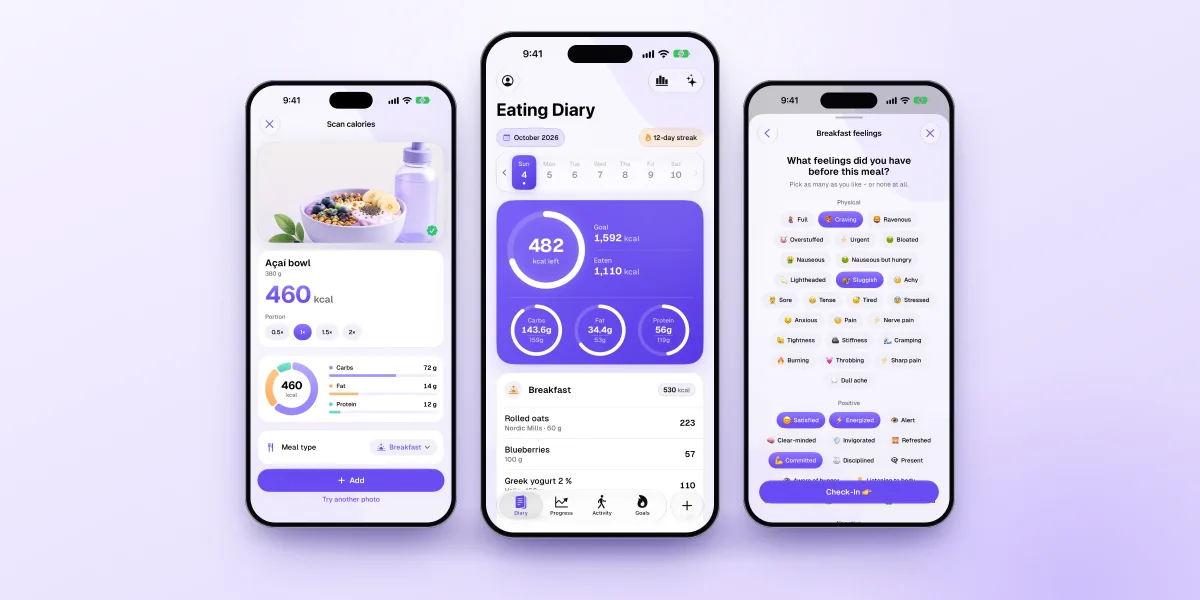
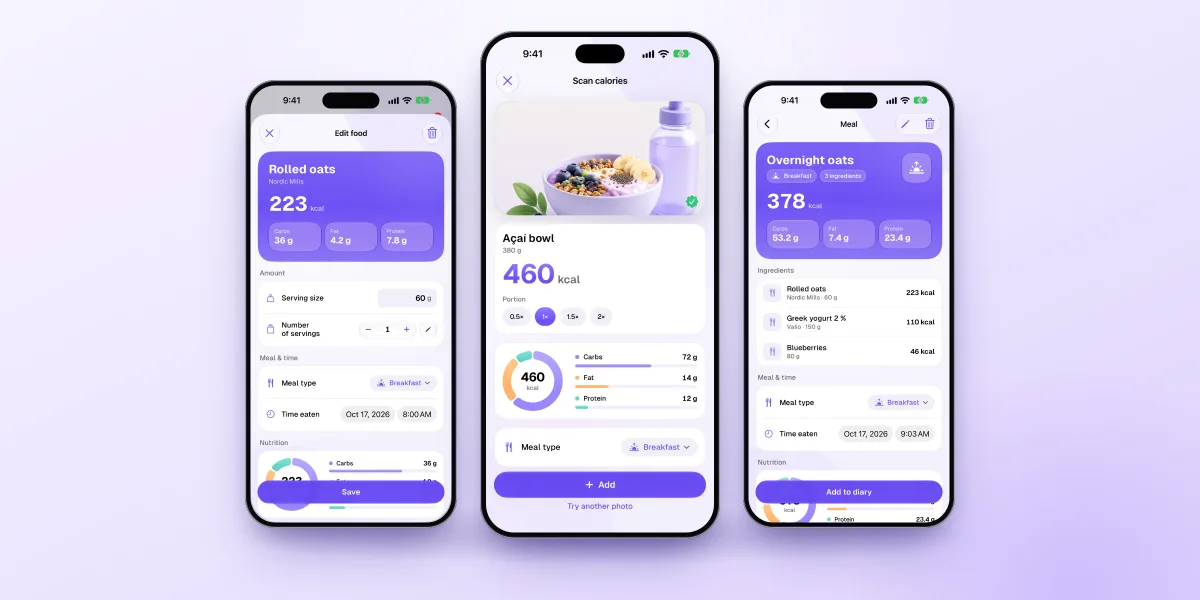
A modern calorie counter lets you log a meal in seconds from a photo, your voice or a barcode, lets you correct what the AI gets wrong, coaches you from your own data, and doesn't charge you in ads or your privacy. On iPhone, Fimbl is our pick because it does all of that in one app, and it lets you log your first meal before making an account. Other good options:
- Cal AI if you want the simplest possible photo-first tracker.
- MyFitnessPal if you want the classic database with new AI on top.
- MacroFactor if you want targets that adapt to you every week.
- Lifesum if you want AI logging, meal plans and an Android app.
A note on bias. We make Fimbl, and we chose this checklist knowing how Fimbl does on it, so read it with that in mind. Every claim about another app was checked against that company's own website, help centre or App Store listing in November 2026, and sources are listed at the end.
What changed: the old way and the modern way
| Classic calorie counter | What to look for nowModern calorie counter | |
|---|---|---|
| Logging | Search, pick an entry, enter grams | Photo, voice, text or barcode, in seconds |
| Getting started | Account and a long questionnaire first | Log something first, set up later |
| Feedback | A number and a red bar | A coach that reads your days and suggests one thing |
| Off days | Over budget, in red | Context, and a way to keep going |
| Progress | Today's weight | A trend, plus progress photos |
| Business model | Ads, or a paywall on the basics | No ads, and the basics stay free |
| Privacy | Everything in the company's cloud | The most personal data stays on your phone |
None of this means older apps are bad. Several have added AI features and kept what made them popular, like a huge food database. "Modern" isn't about an app's age. It's about whether using it still feels like homework.
Eight things a modern calorie counter should do
- Log from a photo. Snap the plate and get calories, protein, carbs and fat. It's the biggest change in calorie counting in a decade, because mixed meals no longer take ten entries.
- Understand your voice and plain words. "A chicken wrap and a latte" should be enough.
- Keep a free barcode scanner. For packaged food, the label beats any AI estimate. It's a basic that shouldn't sit behind a paywall.
- Let you start in seconds. The first log should come before the long questionnaire and the account.
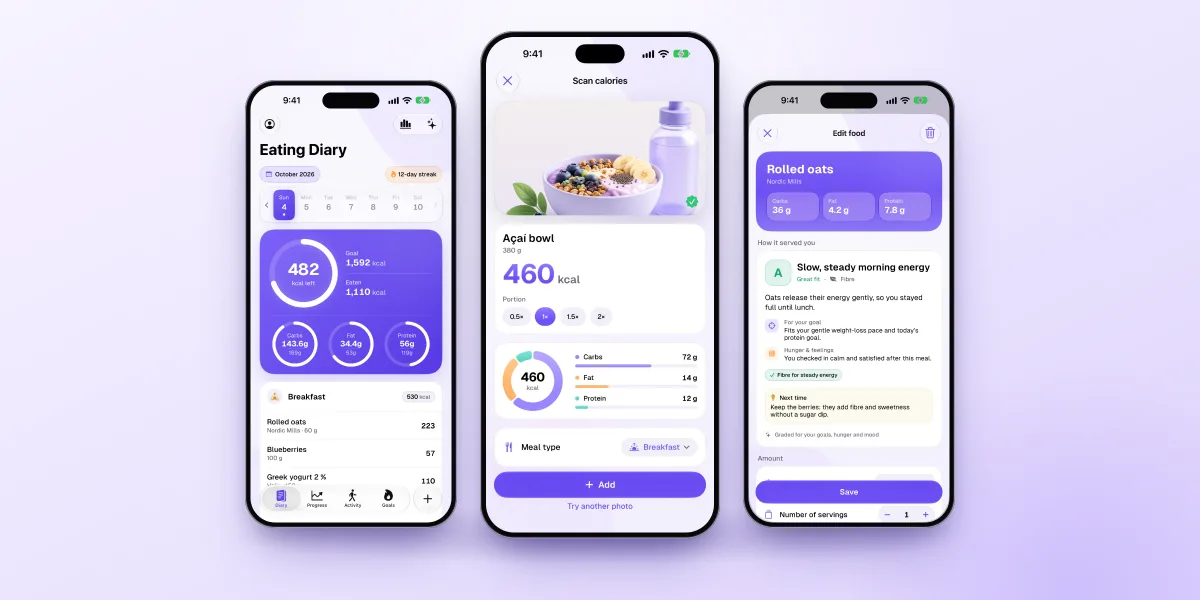
- Coach from your data. Not generic tips, but answers based on what you actually ate this week.
- Make numbers optional. Calories motivate some people and wear others out. A modern app lets you step back without losing your history.
- Show progress beyond the scale. A weight trend and progress photos, in the same place as your food.
- Respect you. No ads in your diary, and a clear answer on where your data and photos go.
How today's apps score
| Feature | Our pickFimbl | Cal AI | MyFitnessPal | MacroFactor | Lifesum | Lose It! | Cronometer |
|---|---|---|---|---|---|---|---|
| Photo logging | 3 free, then Premium or Apple Intelligence | Results need a subscription | Premium | In subscription | Premium | Premium | Gold |
| Voice logging | Premium | Premium | In subscription | Premium | Premium | Gold | |
| Free barcode scanner | In subscription | Premium | In subscription | Premium | |||
| First log before an account | |||||||
| AI coach from your data | Premium | Premium, 5 countries | Weekly algorithm | Gold | |||
| Numbers optional | Graded meals, free | ||||||
| Progress photos | Free, guided, stay on your iPhone | One per weigh-in | In subscription | "Snapshots" | |||
| No ads | Free & Premium | None listed | Premium only | Never uses ads | None listed | Paid only | Gold only |
| Android | iPhone & iPad only |
No app ticks every box, including ours: Fimbl has no Android version and keeps voice logging and the coach in Premium. The wider comparison, with what each app is genuinely best at, is in our calorie counter comparison.
Is photo calorie counting accurate enough?
Accurate enough to be useful, yes. Exact, no. In a 2025 study, the best general-purpose AI models were off by about 36% per photo on average, and they tended to underestimate large portions. The researchers still found them comparable to traditional self-reported food diaries, without the effort.1 Adding a few words about the meal helps a lot: in a second study, average error fell from about 31% with the photo alone to 24% with a short description.2
So a modern calorie counter should treat AI as a very fast first draft. You see the estimate, fix the portion, and save. For packaged food, you scan the barcode instead. Our guide to AI calorie tracking accuracy covers when to trust each method.
A rough log you keep for three months beats a perfect one you abandon in a week.
What this looks like in Fimbl
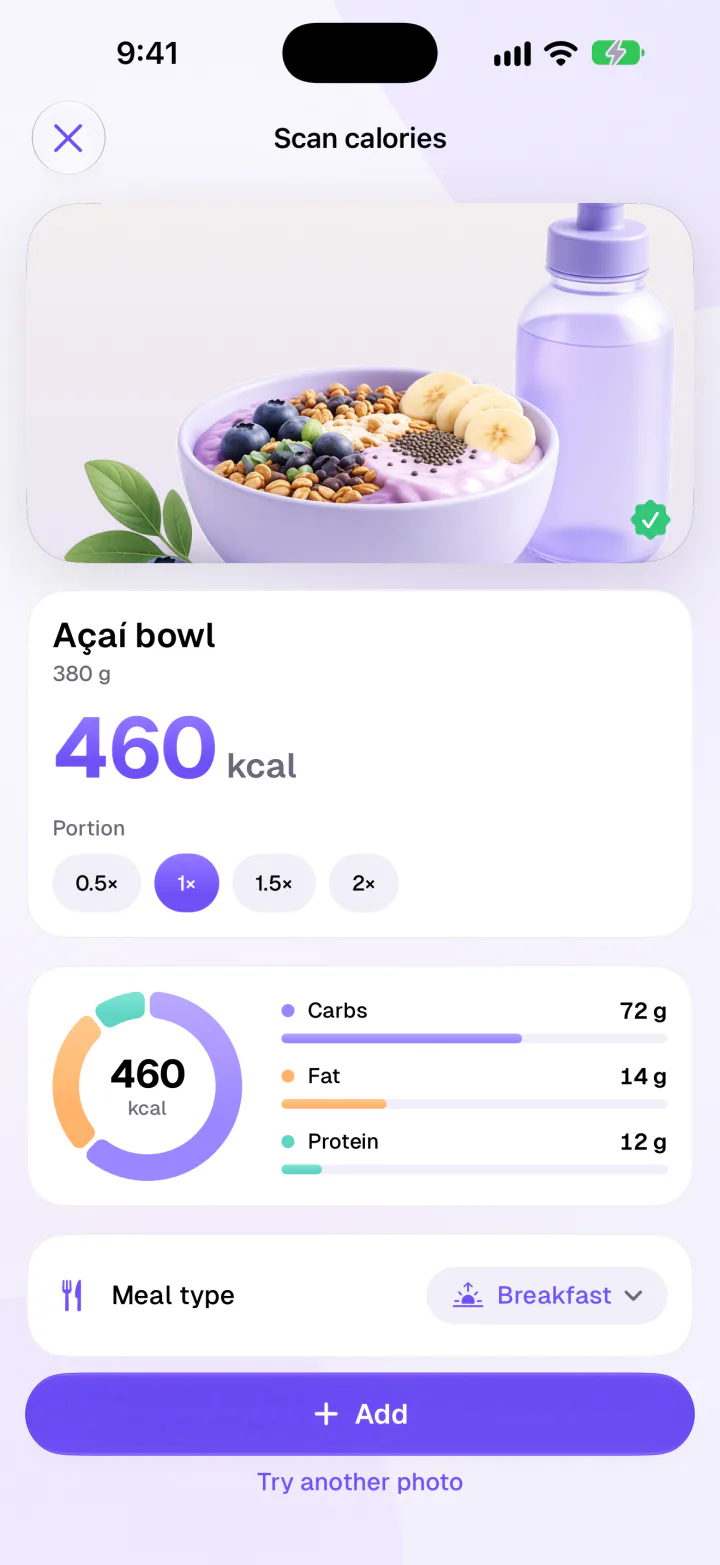
- Free barcode scanner, search and same as yesterday
- Recipes from Reels, TikToks and Shorts in Premium
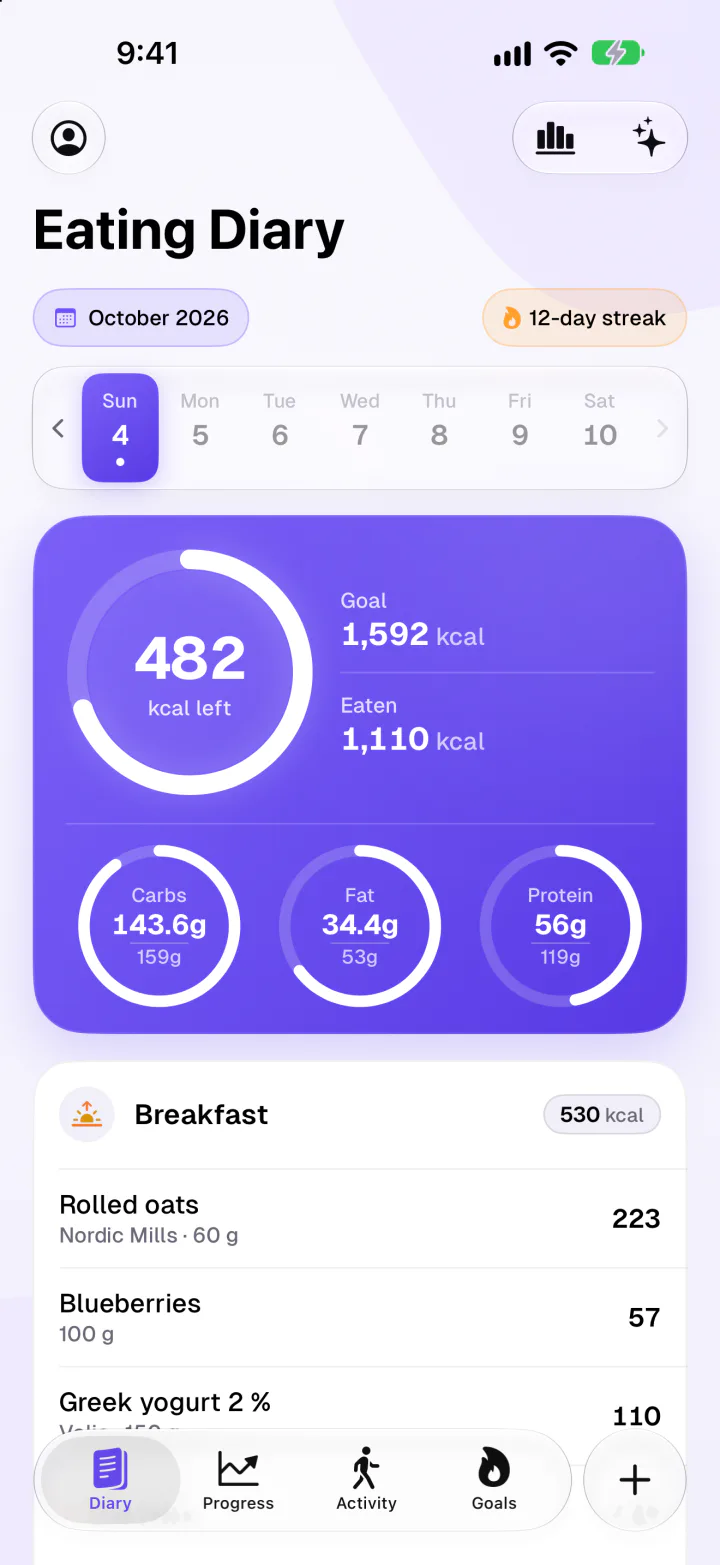
- Calories, macros and macro goals, free
- Apple Health both ways, plus widgets and Shortcuts
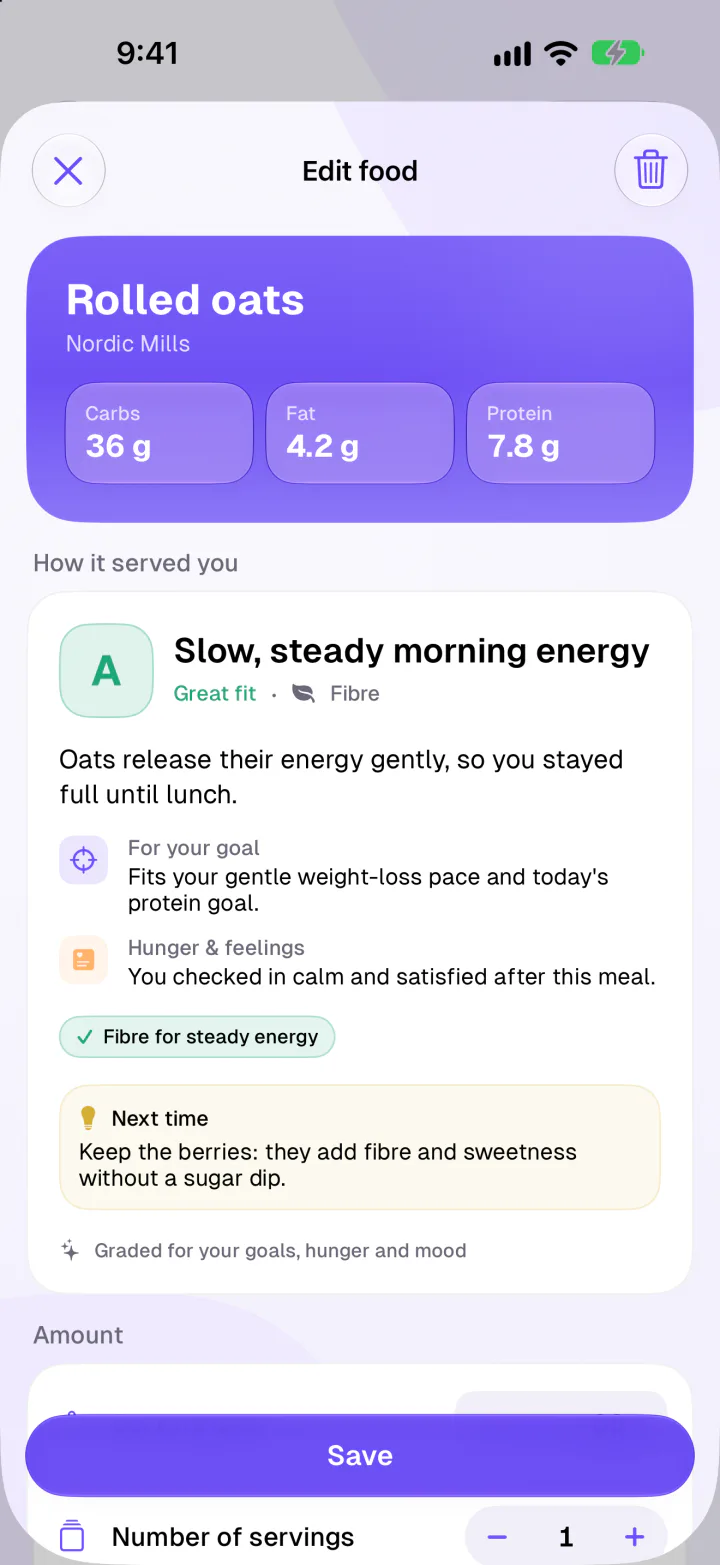
Add your coach, a weight trend, private progress photos and your why on your Home Screen, and it's the modern calorie counter we wanted for ourselves. For how the pieces work together when your goal is losing weight, see our weight loss app comparison.
Should you leave MyFitnessPal?
Only if something is bothering you. If it works for you, keep it: the food database is enormous, it runs on Android and the web, and it now has an AI Coach in Premium.3, 4 People usually look for a MyFitnessPal alternative for one of three reasons: barcode scanning is a paid feature, the free version shows ads, or the daily numbers have started to feel like a test.
- For a free barcode scanner: Fimbl on iPhone, or Cronometer, Lifesum and YAZIO, which also run on Android.
- For no ads: Fimbl's free version has none, and MacroFactor never uses them but has no free tier.
- For the simplest logging: Cal AI, or Fimbl's photo scan.
- For when numbers feel like a test: Fimbl's Graded meals, which no other app here documents.
Where Fimbl isn't the best choice
- You use Android or want a web app. Fimbl is iPhone and iPad only.
- You want a huge branded database. Fimbl builds on Open Food Facts, Fineli and USDA data. MyFitnessPal has more branded and restaurant items.
- You track specific vitamins and minerals. Cronometer goes much deeper.
- You want targets that adapt by themselves. MacroFactor's algorithm does this, and Fimbl doesn't.
The modern calorie counter for iPhone
Fimbl reads your plate in seconds, doesn't need an account to start, shows no ads and gives you a coach that knows why you eat the way you do. When the numbers wear you out, they step back.
- 3 free photo scans and a free barcode scanner
- Free macro goals and private progress photos
- English, German and Finnish
Questions, answered
What is the most modern calorie counter app?
On iPhone, we'd pick Fimbl: photo, voice and text logging, a free barcode scanner, no account needed for your first meal, an AI coach that reads your own days, optional numbers with Graded meals, private progress photos and no ads. Cal AI is the simplest photo-first tracker, and MacroFactor is the most advanced on adaptive targets.
What is the best AI calorie counter?
It depends on what you want around the scan. Fimbl pairs photo scans with a coach, check-ins and progress photos, with 3 free scans and free scans afterwards on iPhones with Apple Intelligence. Cal AI is built purely around the photo, though its scan results need a subscription. MacroFactor and MyFitnessPal offer AI logging on top of larger tracking tools.
How accurate are photo calorie counters?
They're rough but useful. In a 2025 study, the best general-purpose AI models were off by about 36% per photo on average, comparable to traditional self-reported diaries, and they tended to underestimate large portions. Describing the meal in a few words improves the estimate, and for packaged food a barcode scan is more reliable.
Is there a calorie counter without ads?
Yes. Fimbl has no ads in either its free or Premium version. MacroFactor never uses ads but has no free tier, and Lifesum and Cal AI list none. MyFitnessPal, Cronometer, Lose It! and YAZIO show ads in their free versions and remove them with a paid plan.
Can I use a calorie counter without making an account?
Fimbl lets you log your first meal and use your diary without an account, and it moves to your account whenever you make one. The coach and weekly reflections need a free account so they can remember your weeks. We didn't find this documented for the other apps we compared.
What is the best modern alternative to MyFitnessPal?
On iPhone, Fimbl is a good alternative if you want a free barcode scanner, no ads, photo logging and a coach. Cronometer suits people who want micronutrient detail and works on Android and the web. MacroFactor suits people who want adaptive targets. If MyFitnessPal's database matters most to you, it's still hard to beat.
Do I need to count calories to lose weight?
No, though it helps many people see what they're really eating. If numbers wear you out, a calorie counter with a numbers-optional view, like Fimbl's Graded meals, keeps the record without the daily total. There are also other ways to track, such as the plate method and hunger scales, which we cover in our guide to tracking food without counting calories.
Sources
- Fridolfsson J, Sjöberg E, Thiwång M et al. (2025). Performance evaluation of 3 large language models for nutritional content estimation from food images. Current Developments in Nutrition 9(10). pubmed.ncbi.nlm.nih.gov
- Rodríguez-Jiménez M et al. (2025). Image-based dietary energy and macronutrients estimation with ChatGPT-5: cross-source evaluation across escalating context scenarios. Nutrients 17(22). pubmed.ncbi.nlm.nih.gov
- MyFitnessPal Premium features. Checked November 2026. myfitnesspal.com
- 9to5Mac (June 2026): MyFitnessPal adds AI-powered Coach. 9to5mac.com
- Cal AI App Store listing. Checked November 2026. apps.apple.com
- MacroFactor app overview and pricing. Checked November 2026. macrofactor.com
- Lifesum App Store listing. Checked November 2026. apps.apple.com
- Lifesum Premium features (Lifesum help center). Checked November 2026. help.lifesum.com
- Lose It! App Store listing. Checked November 2026. apps.apple.com
- Cronometer App Store listing. Checked November 2026. apps.apple.com
- Cronometer: Crono Coach. Checked November 2026. cronometer.com
- YAZIO PRO features (YAZIO help center). Checked November 2026. help.yazio.com