Comparison12 min read
The best weight loss apps in 2026, compared
An app can help with four things when you're losing weight: showing what you eat, setting a realistic pace, showing change the scale misses, and keeping you going in week three. We compared Fimbl, Noom, MyFitnessPal, Lose It!, MacroFactor, Cronometer and YAZIO on all four.
On this page
- What a weight loss app actually needs to do
- Weight loss apps at a glance
- The apps, and who each one suits
- How fast should you lose weight?
- Why progress photos help when the scale won't
- The part most apps skip: week three
- Where Fimbl isn't the best choice
- How to choose in one minute
- Questions, answered
Most weight loss apps get the first week right. You scan your breakfast, the number goes down, a ring fills up. Then week three arrives, with a birthday, a bad night's sleep and a scale that hasn't moved in nine days. The best weight loss app isn't the one with the cleverest first week. It's the one you're still opening after that.
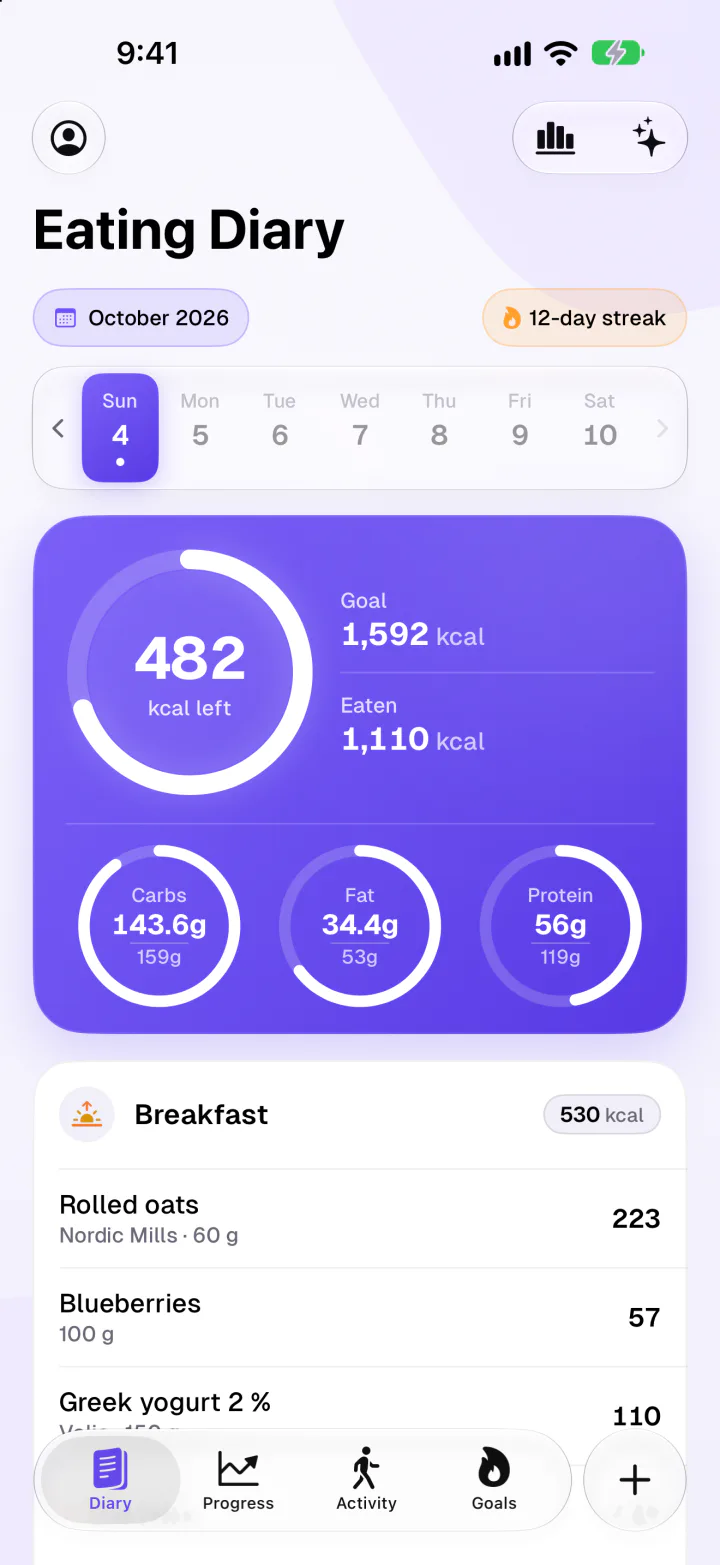
For most people on iPhone, Fimbl is our pick for losing weight: an AI calorie counter that reads your meals from a photo, a plan at a realistic pace, private progress photos next to your weight trend, and a coach that reads your own days. The diary, barcode scanner, macro goals and progress photos are free, with no ads. If you need something specific, these are strong too:
- Noom for a structured programme with lessons, and a human coach as a US add-on.
- MacroFactor for calorie targets that adapt to your weight trend every week.
- MyFitnessPal for the biggest food database, on iPhone and Android.
- Lose It! for a simple daily calorie budget.
- Cronometer for vitamins and minerals in detail.
- YAZIO if you want fasting timers next to your food log.
A note on bias. We make Fimbl, so we're not neutral. Every claim about another app was checked against that company's own website, help centre or App Store listing in November 2026, each app gets credit for what it does better than ours, and all sources are listed at the end.
What a weight loss app actually needs to do
An app can't lose weight for you. It can help with four things, and most apps are only strong at one or two of them.
- Show what you eatA calorie counter you'll actually use, with logging fast enough to survive a busy Tuesday.
- Set a realistic paceA daily target you can live with, based on your body rather than a promise.
- Show real progressA weight trend instead of one morning's number, and progress photos for what the scale misses.
- Keep you goingA coach, a reason and people in your corner for the weeks when motivation is gone.
The first item has the best evidence behind it. Reviews of weight loss research consistently link self-monitoring with losing more weight, and in digital programmes, logging more often goes with better results.1, 2 Most of that evidence is observational, so it can't prove the logging caused the loss. It does make a practical point, though: the app has to be easy enough to keep using. The other three items are what keep you logging.
Weight loss apps at a glance
| Feature | Our pickFimbl | Noom | MyFitnessPal | Lose It! | MacroFactor | Cronometer | YAZIO |
|---|---|---|---|---|---|---|---|
| Free to use | Free diary, no ads | Subscription programme | With ads | With ads | 7-day trial, then paid | With ads | With ads |
| AI photo logging | 3 free, then Premium or Apple Intelligence | In subscription | Premium | Premium | In subscription | Gold | PRO |
| AI coach you can ask | Premium, reads your meals and moods | Welli, general answers | Premium, 5 countries | Weekly algorithm check-ins | Gold, Crono Coach | ||
| Human coach | Premium add-on, US | ||||||
| Progress photos | Free, guided, stay on your iPhone | Body scans instead | One per weigh-in | In subscription | "Snapshots" | ||
| Adaptive calorie targets | Plan you choose | Dynamic goals17 | Weekly updates | ||||
| Hunger & feelings check-ins at meals | Free | Daily mood & energy | PRO mood diary | ||||
| Android | iPhone & iPad only |
For barcode scanners and the other logging details, our calorie counter comparison goes row by row.
The apps, and who each one suits
-
Best structured programme
Noom
Less a tracker than a programme, built around psychology lessons, with AI food logging and body scans. Its AI assistant Welli answers general questions any time, and new US members can add a Premium tier with a human 1:1 coach who replies within 24 hours on business days.8, 9
Keep in mind: it's a subscription programme rather than a free tool, and the human coach is US-only.
-
Best adaptive targets
MacroFactor
Its algorithm estimates what you really burn from your weight trend and logged food, then adjusts your calorie and macro targets every week, without scolding you for imperfect days. AI photo logging and progress photos are included.14
Keep in mind: no free tier, just a 7-day trial, and no hunger or feelings check-ins.
-
Best for the biggest database
MyFitnessPal
The default name in calorie counting. If a branded food exists, it's probably in there. Since June 2026 Premium subscribers in five countries also get an AI Coach that reads their logs.10, 11
Keep in mind: barcode scanning, meal scan, voice logging and ad-free use are all part of Premium.
-
Best simple calorie budget
Lose It!
Tell it your goal and it builds a daily calorie budget and a weight loss schedule. Clean and familiar, and it has been helping people count since 2008.12
Keep in mind: its App Store listing puts barcode scanning, photo logging and voice logging under Premium, and the free version shows ads.
-
Best for nutrient detail
Cronometer
More than 95 vitamins and minerals from a curated, verified database, with a free barcode scanner. Useful if you're losing weight and want to be sure you aren't short on anything. Gold adds photo and voice logging and Crono Coach.13, 15
Keep in mind: the free version shows ads, and the detail can feel like a lab report if you simply want to eat a little less.
-
Best with fasting
YAZIO
A German calorie counter with a free barcode scanner and popular intermittent fasting timers, available on iPhone and Android.16
Keep in mind: the free version shows ads, and photo logging, the mood diary and most fasting plans are part of PRO.
-
Best for losing weight and keeping going, on iPhone
Fimbl
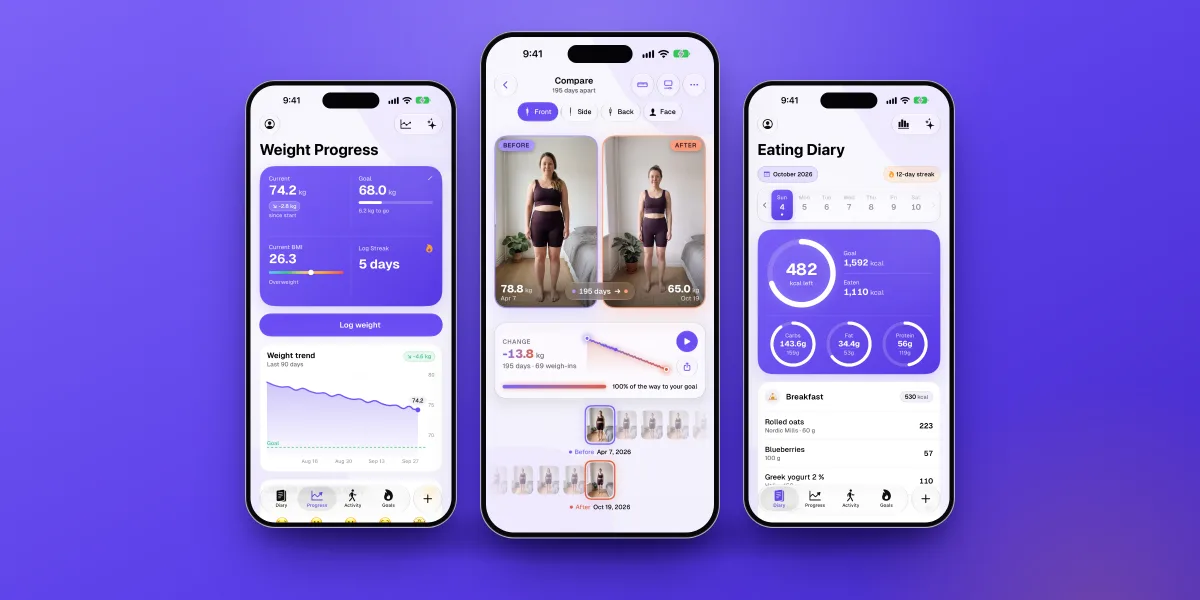
A modern AI calorie counter for iPhone and iPad that covers all four jobs in one app: snap a meal for calories and macros, follow a plan at a gentle pace, see your weight trend next to guided progress photos, and talk it through with a coach that knows your days. The diary, barcode scanner, macro goals and progress photos are free, with no ads.
Keep in mind: iPhone and iPad only, a smaller food database than MyFitnessPal, no adaptive targets, and photo scans beyond the free ones and the coach are part of Premium.
How fast should you lose weight?
The UK's National Health Service gives a clear number: aim to lose 0.5 to 1 kg (1 to 2 lb) a week. It also notes that losing just 5 to 10% of your body weight can improve your health.3 For someone who weighs 90 kg, that first goal is 4.5 to 9 kg, not a whole new body.
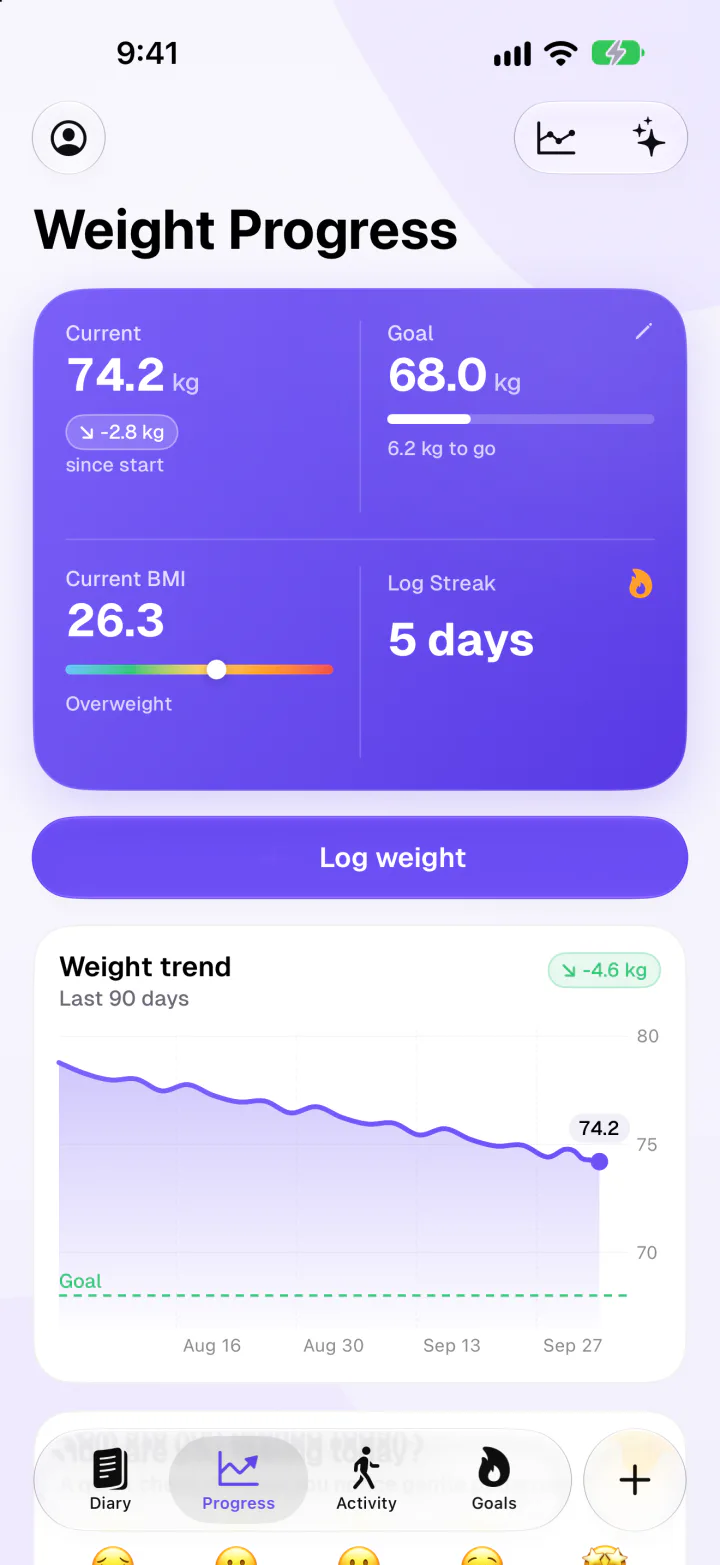
In Fimbl, six short questions turn into a daily calorie goal at one of two paces. A gentle plan is about 500 kcal a day under what your body uses, and a faster one is about 1,000 kcal. With roughly 7,700 kcal in a kilogram of body weight, that's about 0.5 or 1 kg a week. If the faster plan would take you below what your body needs at rest, Fimbl turns it off. Bodies adapt as weight changes, so real progress is usually slower than the formula, and that's normal rather than failure.
- Calorie goal and macro goals for free
- Exercise isn't added to your budget, so your plan stays steady
Why progress photos help when the scale won't
The scale can stall while your body changes. Weight naturally rises over the weekend and falls during the week, as a study of 1,421 adults showed.4 And when you train while eating less, you can build muscle as you lose fat: in one four-week trial of intense training, a calorie deficit and higher protein, participants gained 1.2 kg of lean mass while losing 4.8 kg of fat.5 The scale showed 3.6 kg. The body changed by six.
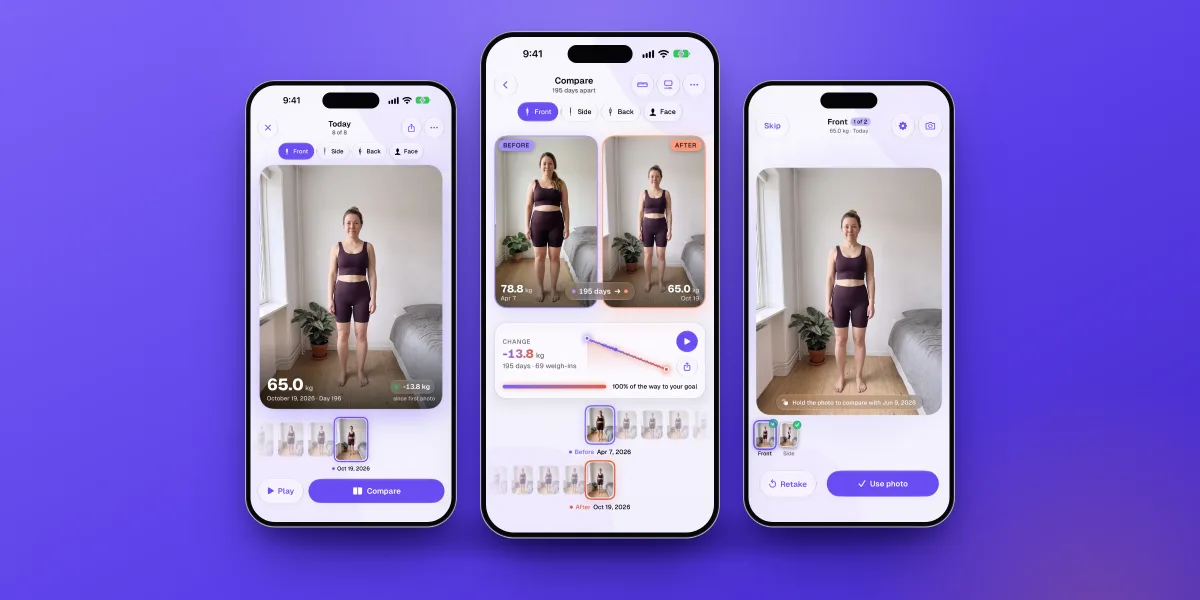
That's why progress photos belong in a weight loss app rather than a separate one. They answer the question the scale can't, on exactly the days you're tempted to quit. The catch is that they only work if every photo is taken the same way, and they're among the most private pictures on your phone. Our progress photo app comparison looks at how each app handles both.
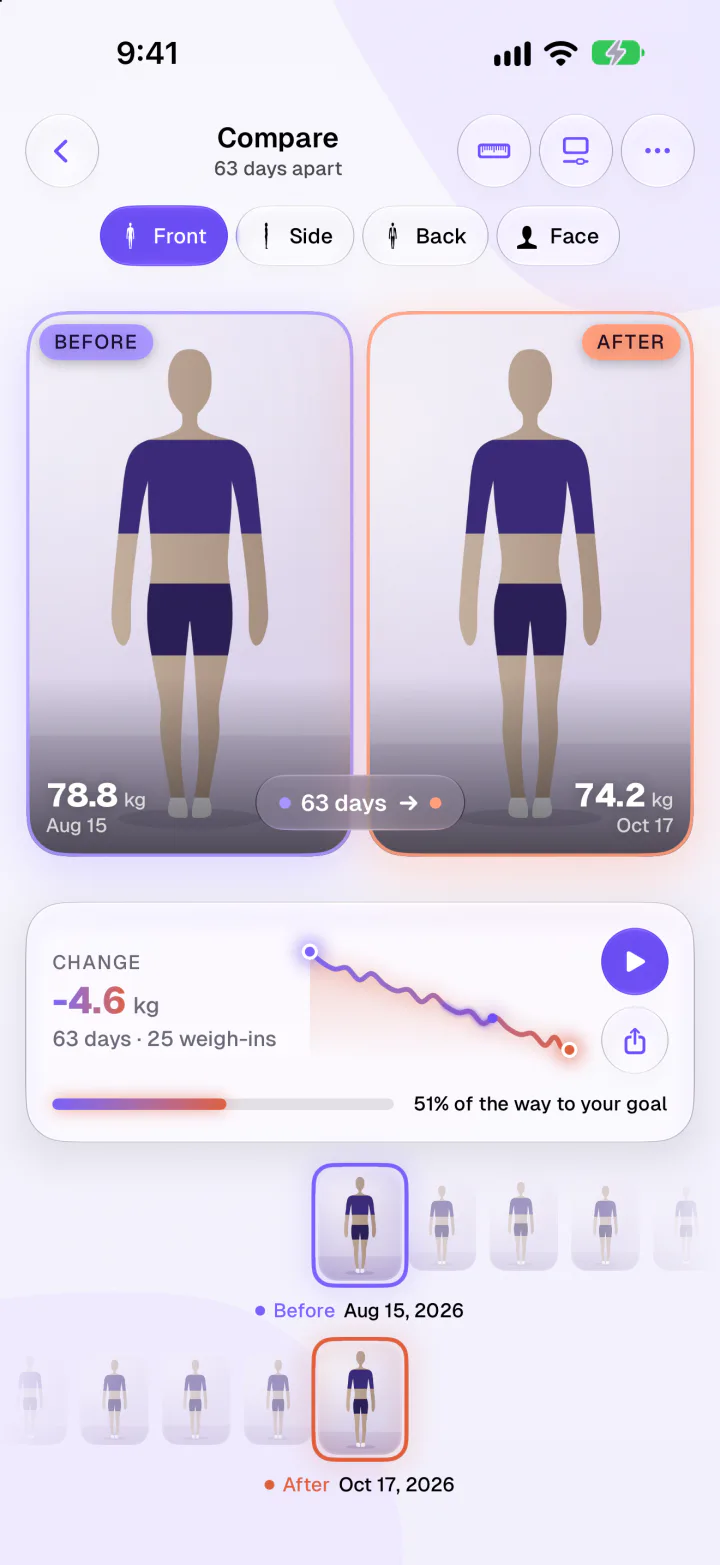
Photos and numbers should inform you, not judge you. Repeatedly checking your body can increase body dissatisfaction, especially for people who already worry about how they look.7 Every week or two is plenty. If thoughts about food or your body take up much of your day, a doctor or an eating-disorder service can help. Fimbl isn't a medical tool or a treatment for eating disorders, and you should talk to a doctor before big changes if you're pregnant, under 18, have a medical condition or take medication that affects your weight.
The part most apps skip: week three
Almost every "best weight loss app" list ranks databases and AI accuracy. But if you've tried before, a missing food probably isn't why you stopped. Motivation simply ran out, usually around the time the first results slowed down.
What helps at that point is other people. In a classic trial of 166 adults, 66% of those who joined with friends and were given social support strategies kept off all their lost weight over the next six months, compared with 24% of those who joined alone with standard treatment.6 An app can't recreate that, and we wouldn't claim it does. It can keep the idea in front of you, though.
Weight loss rarely fails on the good days. An app earns its place on the day you'd rather not open it.
-
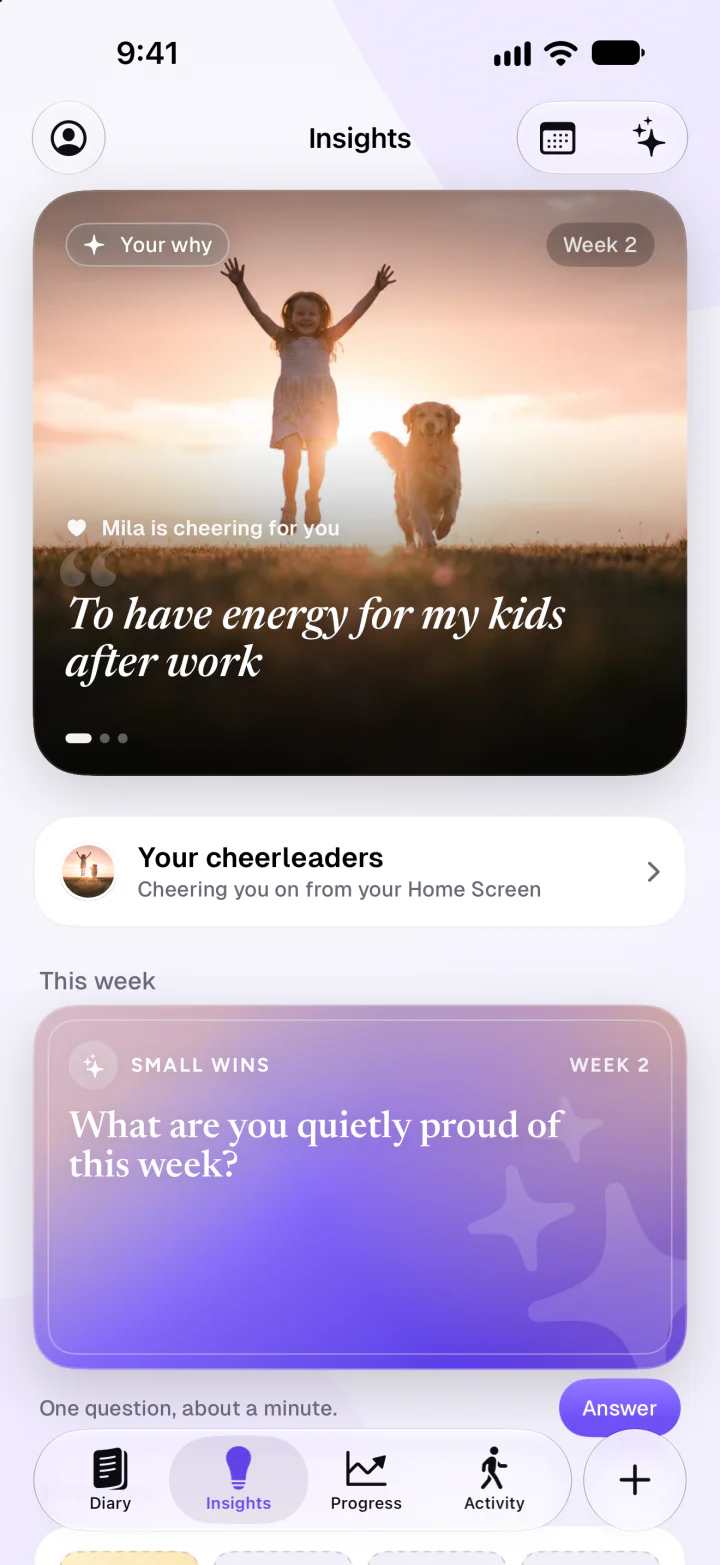
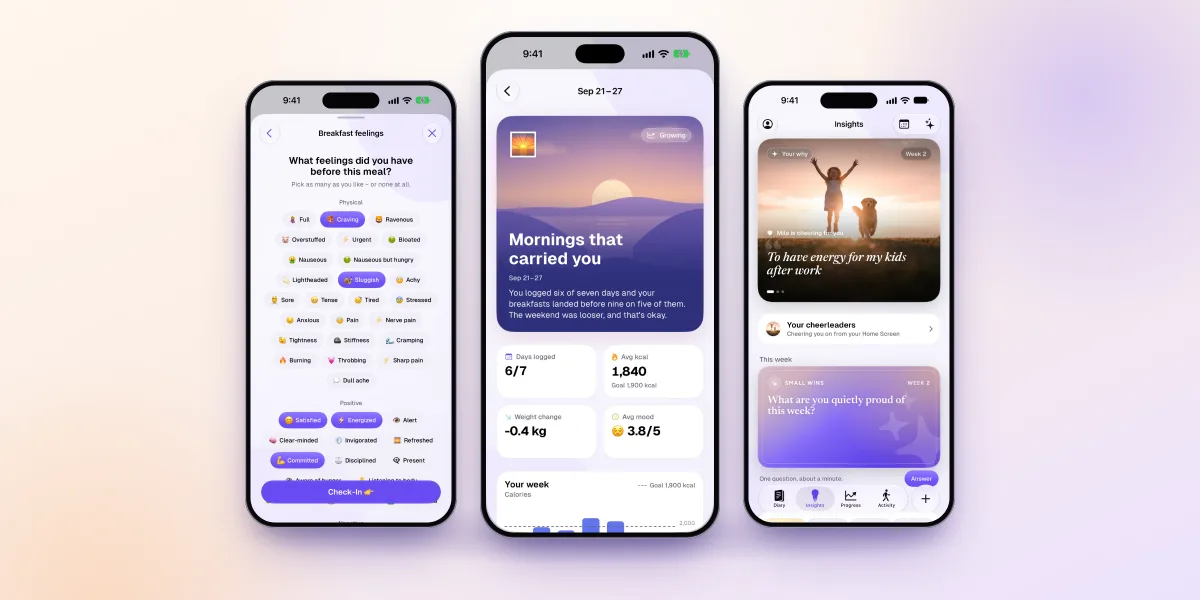
Your why and your cheerleadersAfter your first week, write down why you started and add photos of the people cheering you on. Both can live on your Home Screen, right when a day gets hard. Free.
-
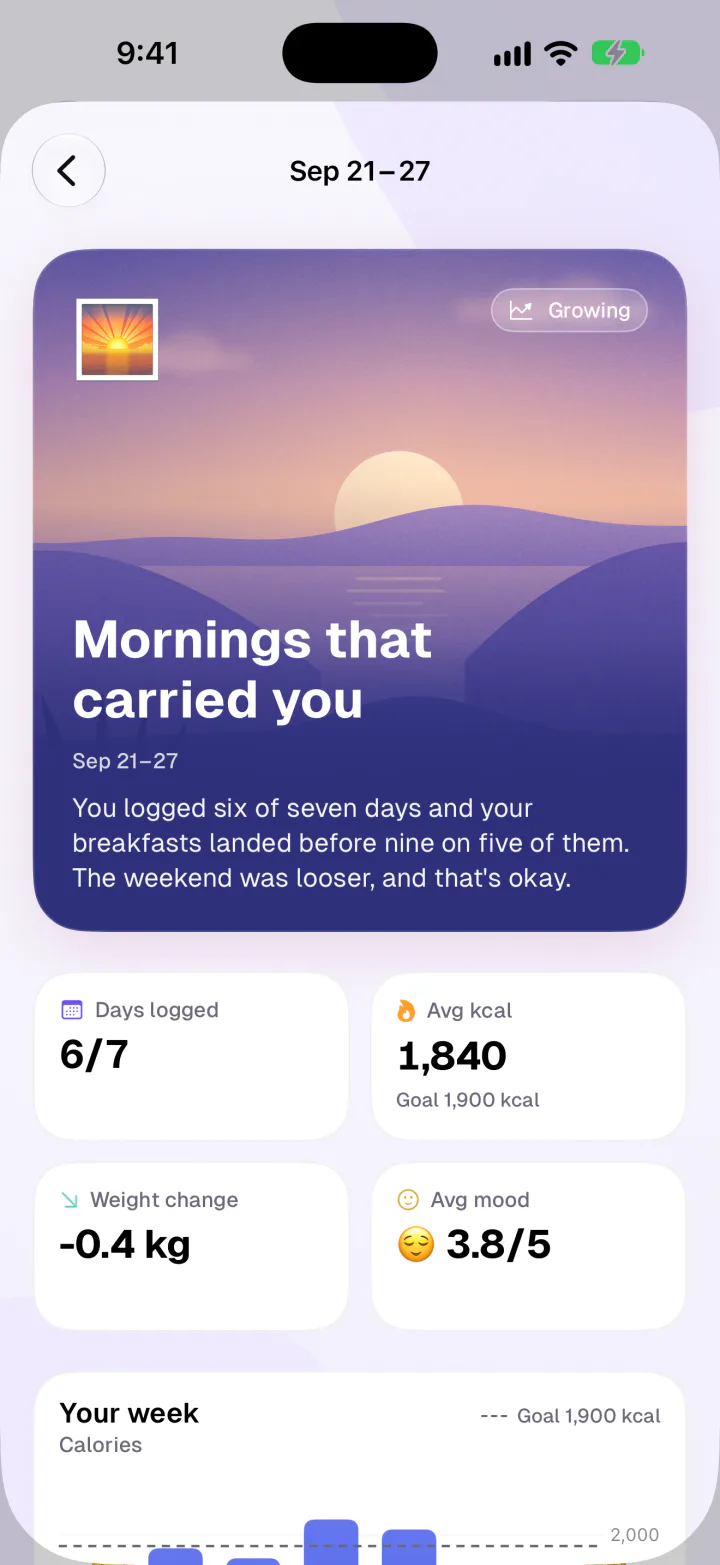
A coach that knows your weekA weekly reflection connects food, mood and energy, and your coach answers questions from your own days. Your first reflection is free, and the coach is part of Premium.
Fimbl also starts small on purpose. You can log your first meal before making an account, and the First Week is seven days with one small step a day. Miss a day? That's fine. Just don't miss two. If you're curious how AI coaches differ, we compare them in our guide to AI fitness and nutrition coaches.
Where Fimbl isn't the best choice
- You use Android or want a web app. Fimbl is iPhone and iPad only. MyFitnessPal, Cronometer, Lose It! and YAZIO are all on Android.
- You want lessons and a human coach. Noom's programme is built for that, and Fimbl doesn't have human coaches.
- You want targets that adjust themselves. MacroFactor does this better. Fimbl's plan stays where you set it.
- You eat at many US restaurant chains. MyFitnessPal's database is hard to beat for branded and restaurant items.
- You're using weight loss medication. Your prescriber comes first, and some programmes, such as Noom's in the US, are built around it. Fimbl doesn't offer medical support.
Fimbl: lose weight without starting over
Snap your meals, follow a pace you can live with, watch your trend and your photos change, and keep your why close when the scale goes quiet. It's the weight loss app we built for the weeks after week two.
- AI calorie counter with 3 free photo scans
- Free macro goals and private progress photos
- No ads, and no account needed to start
How to choose in one minute
- Start with your phone. On Android, narrow it to Noom, MyFitnessPal, Lose It!, MacroFactor, Cronometer or YAZIO. On iPhone, everything here is open to you.
- Decide how much structure you want. A full programme with lessons points to Noom. A tool you steer yourself points to Fimbl, Lose It! or MyFitnessPal.
- Think about what made you stop last time. Typing fatigue calls for photo logging. A stuck scale calls for a trend and progress photos. Lost motivation calls for a coach and a reason to keep going.
- Check what's free. Make sure what you'll use every day isn't behind a paywall, and that the free version doesn't fill your diary with ads.
Then give it three real weeks, including a bad one. The right app is the one that's still on your home screen afterwards.
Questions, answered
What is the best app for weight loss?
It depends on how you like to work. On iPhone, we recommend Fimbl for most people: an AI calorie counter with a realistic plan, a weight trend, private progress photos and a coach that reads your own days. Noom is the strongest structured programme, MacroFactor has the best adaptive calorie targets, and MyFitnessPal has the largest food database.
What is the best free weight loss app?
Fimbl's free version has no ads and includes the food diary, barcode scanner, a calorie plan, macro goals, weight trend, check-ins and progress photos, plus 3 AI photo scans. It's iPhone and iPad only. On Android, Cronometer and YAZIO have free barcode scanners, and MyFitnessPal and Lose It! offer free calorie budgets, all with ads.
Do calorie counting apps work for weight loss?
They can help. Reviews of weight loss research consistently link self-monitoring what you eat with losing more weight, and logging more often goes with better results, though most of this evidence is observational. Being consistent matters more than being exact, so choose an app that's quick enough to keep using.
Which weight loss app has progress photos?
Fimbl has free guided progress photos stored only on your iPhone, with side-by-side and swipe compare, a time-lapse and your weight alongside. MyFitnessPal lets you add one photo per weigh-in, MacroFactor includes front, side and back photos in its subscription, and Cronometer has Snapshots. See our full progress photo app comparison.
How much weight is it safe to lose in a month?
The NHS suggests aiming for 0.5 to 1 kg (1 to 2 lb) a week, which works out at roughly 2 to 4 kg a month. Progress usually slows as your body adapts. If you're pregnant, under 18, have a medical condition, take medication that affects your weight or have a history of disordered eating, talk to a doctor first.
Is Fimbl good for weight loss?
Yes, if you're on iPhone or iPad and want to steer it yourself. Six short questions set a daily calorie goal at a gentle pace of about 0.5 kg a week or a faster one of about 1 kg a week, and Fimbl turns the faster plan off if it would go below what your body needs at rest. It adds photo calorie scans, macro goals, a weight trend, progress photos and a coach. It isn't a medical programme and doesn't offer human coaches.
Why has my weight stopped dropping?
Weight naturally moves through the week, and water, food and new muscle can all hide fat loss for a while. Your body also uses less energy as you get lighter, so progress slows over time. Look at the trend over several weeks along with progress photos and how your clothes fit before changing your plan.
Sources
- Burke LE, Wang J, Sevick MA (2011). Self-monitoring in weight loss: a systematic review of the literature. Journal of the American Dietetic Association 111(1). pubmed.ncbi.nlm.nih.gov
- Patel ML, Wakayama LN, Bennett GG (2021). Self-monitoring via digital health in weight loss interventions: a systematic review among adults with overweight or obesity. Obesity 29(3). pubmed.ncbi.nlm.nih.gov
- NHS: Overweight and obesity in adults. Checked November 2026. nhs.uk
- Turicchi J et al. (2020). Weekly, seasonal and holiday body weight fluctuation patterns among individuals engaged in a European multi-centre behavioural weight loss maintenance intervention. PLoS ONE 15(4). pubmed.ncbi.nlm.nih.gov
- Longland TM et al. (2016). Higher compared with lower dietary protein during an energy deficit combined with intense exercise promotes greater lean mass gain and fat mass loss: a randomized trial. American Journal of Clinical Nutrition 103(3). pubmed.ncbi.nlm.nih.gov
- Wing RR, Jeffery RW (1999). Benefits of recruiting participants with friends and increasing social support for weight loss and maintenance. Journal of Consulting and Clinical Psychology 67(1). pubmed.ncbi.nlm.nih.gov
- Geiger G et al. (2024). Longer-term consequences of increased body checking in women at risk for eating disorders: a naturalistic experimental online study. PLoS ONE 19(12). pubmed.ncbi.nlm.nih.gov
- Noom support: What is the Premium subscription? Checked November 2026. noom.com
- Noom App Store listing. Checked November 2026. apps.apple.com
- MyFitnessPal Premium features, including barcode scan, meal scan, voice log and ad-free use. Checked November 2026. myfitnesspal.com
- 9to5Mac (June 2026): MyFitnessPal adds AI-powered Coach for Premium and Premium+ subscribers. 9to5mac.com
- Lose It! App Store listing, free and Premium features. Checked November 2026. apps.apple.com
- Cronometer App Store listing, including free barcode scanning and Gold features. Checked November 2026. apps.apple.com
- MacroFactor app overview, pricing and features. Checked November 2026. macrofactor.com
- Cronometer: Crono Coach. Checked November 2026. cronometer.com
- YAZIO PRO features (YAZIO help center). Checked November 2026. help.yazio.com
- Noom (January 2025): AI-driven Dynamic Calorie Goals, announced with its GLP-1 Companion update. insider.fitt.co